Simplifying smart
temperature control.
A redesign of the Nest thermostat ecosystem — removing cognitive friction, making system states legible, and unifying the experience across devices.

A smart device that
exposes its own complexity.
Nest is designed to automate home temperature management. But many users encounter friction the moment they open the app — the system surfaces internal logic instead of accepting user intent. This project rethinks how intelligence should support users, not burden them.
Dual-threshold complexity
Users must configure separate heating and cooling thresholds before setting a simple temperature — exposing HVAC logic that should be invisible.
Scheduling friction
The horizontal drag timeline forces repetitive value entry. A task central to the product's value requires too many steps to complete.
Split mental models
The hardware device and mobile app present different interaction paradigms. Switching between them resets the user's understanding of the system.
Invisible energy savings
Eco mode runs silently. Users can't connect daily choices to real energy or cost outcomes — reducing engagement with one of the product's key features.
Four friction points.
Research surfaced where users consistently struggled — not with individual features, but with the underlying interaction model that prioritizes system accuracy over user intent.
Confusing heating & cooling logic
Users must understand HVAC thresholds before adjusting temperature. The system demands technical knowledge as a prerequisite for basic use.
Schedule setup requires too many steps
Dragging across a horizontal time axis and repeatedly entering values creates friction for a task users need to do every day.
Inconsistent cross-device experience
Different interaction models on hardware and mobile double the learning cost and erode user confidence when switching devices.
Lack of energy transparency
Energy-saving features provide no clear feedback. Users cannot understand how their actions impact consumption or cost.
What the current
experience looks like.
Before redesigning, we documented the existing Nest experience across hardware and mobile — the interfaces users struggle with today.

Thermostat — Horizontal Schedule
Temperature nodes scattered across a 2D grid. No clear hierarchy — users must interpret coordinates to understand their own schedule.

Mobile App — Energy History
Usage shown as bar lengths with no cost context. Data is present but disconnected from user behavior — no actionable feedback or savings estimate.
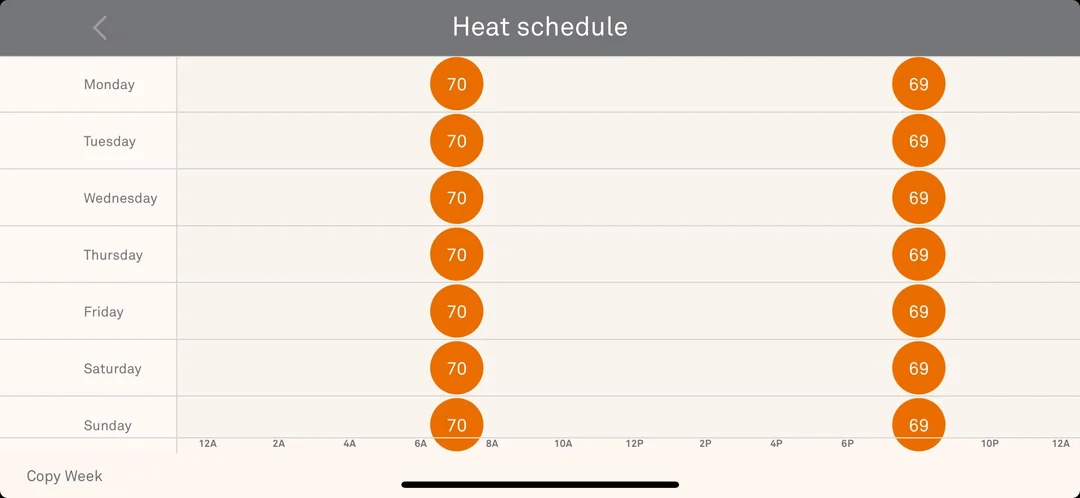
Mobile App — Weekly Schedule
Seven days on one horizontal axis. Users scroll sideways to find time slots — disorienting on a narrow phone screen with no room for context.
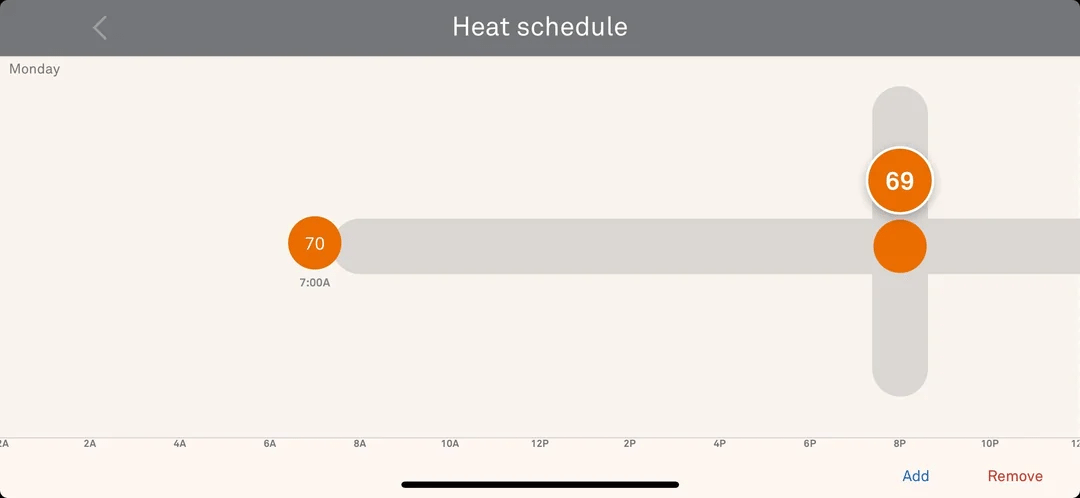
Mobile App — Day Editing
Dragging a temperature node along a horizontal rail to set time. Requires precise touch on small targets with no clear feedback during interaction.
What research revealed.
Three insights shaped every design decision in this redesign — each one pointing in the same direction: let the system absorb complexity so users don't have to.
Users want outcomes, not system modes
People think in terms of comfort results — "I want it warmer" — not HVAC operational logic. The interface must match this mental model completely.
Temperature control is state-driven interaction
The most important information at any moment is current system state: temperature, mode, eco status. Visual hierarchy must surface this instantly.
Smart automation should reduce decisions
System intelligence is a liability when it requires users to understand it. True smart home design removes decisions rather than creating new ones.
Four rules that guided
every decision.
These principles are not aspirational guidelines — they are constraints. Each design decision was evaluated against all four before moving forward. When in conflict, the principle higher on the list wins.
Decide Early, Let the System Handle the Rest
Users provide intent — one target temperature. The system determines heating or cooling. No mode selection, no thresholds.
State Is Content
System state — current temperature, active mode, eco status — is the most critical information. Visual hierarchy must reflect this.
Consistent Across Devices, Not Identical
Same interaction logic and mental model on hardware and mobile — layouts differ, behavior doesn't.
Progressive Disclosure
Core actions stay visible. Advanced settings appear only when users choose to access them.
Guiding the product toward
high-end and innovative.
Based on our final moodboard, we created a set of design guidelines that would lead our product down a high-end and innovative route.


Color
Typography
SF Pro
Google
Sans
Smart Temperature Input
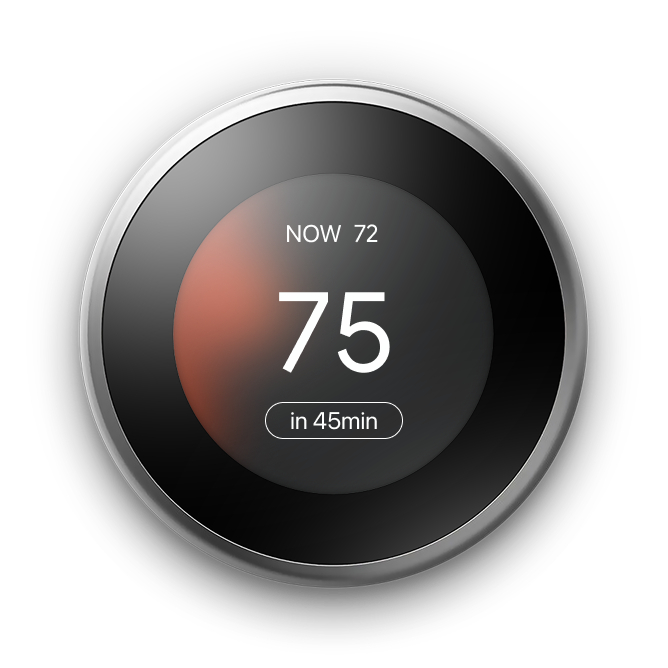
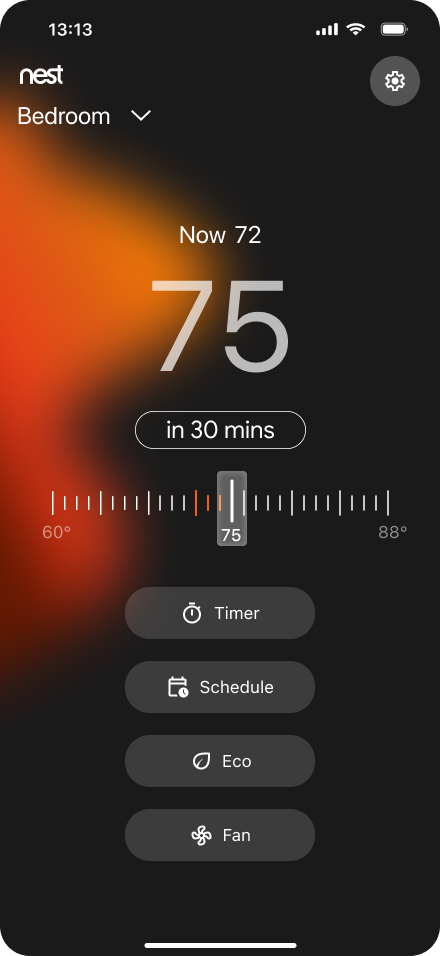
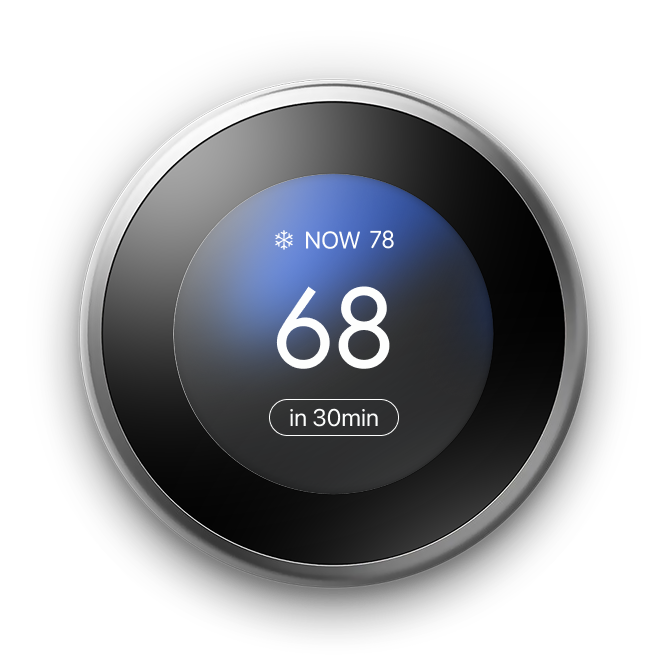
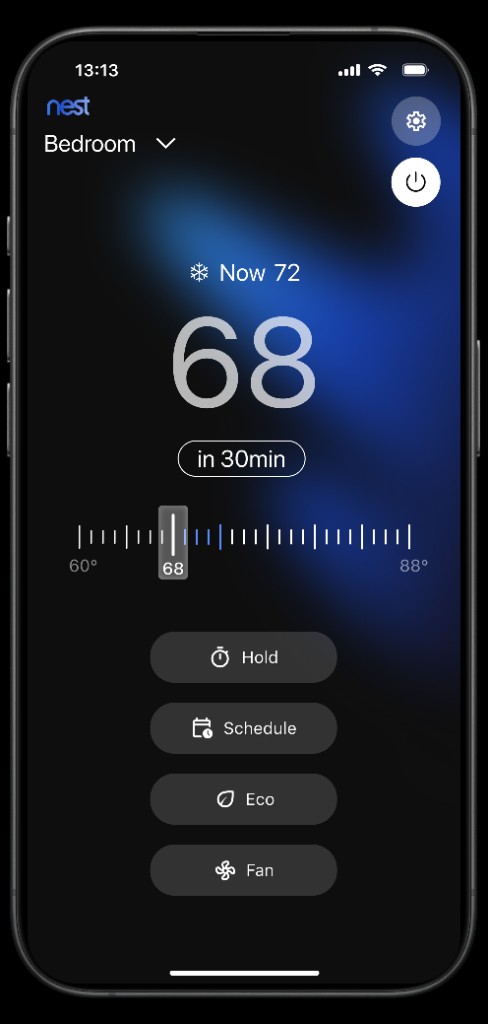
Replace the dual-threshold model with one clear target. The system reads the current temperature, determines whether heating or cooling is required, and acts — without asking users to understand how.
Streamlined Vertical Schedule
A vertical timeline organizes temperature events by time of day. Temperature nodes are connected visually — users can scan and edit the entire day at a glance without horizontal scrolling.
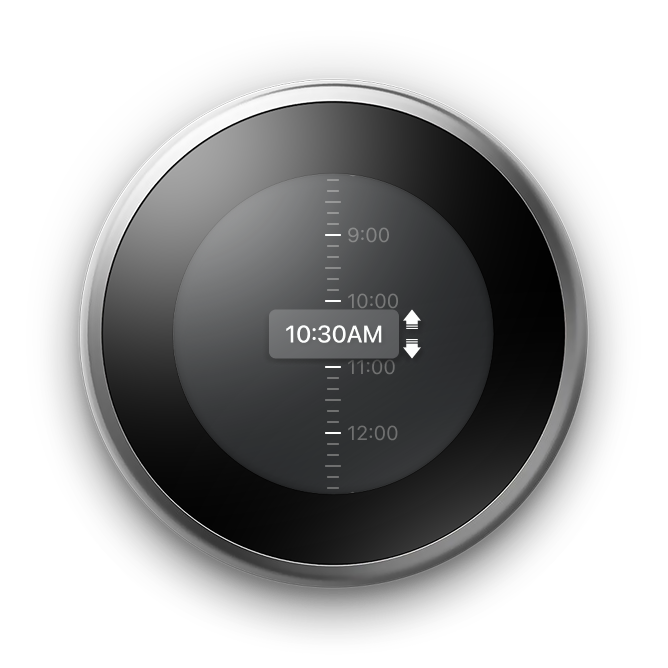

Event-Based Scheduling System
Reusable schedule events — Sleep, Away, Wake Up — are defined once and applied across multiple days. Users stop recreating the same patterns every week. The week menu makes it fast to assign events to any day.


Dynamic State Visual System
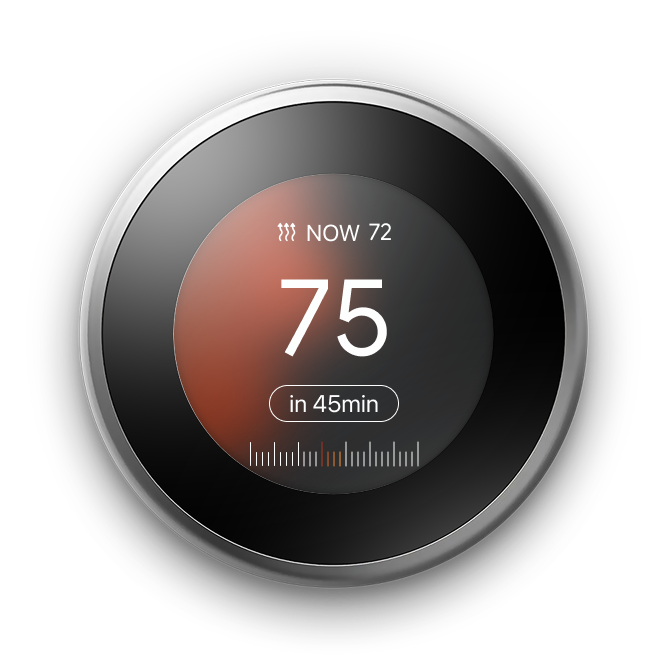
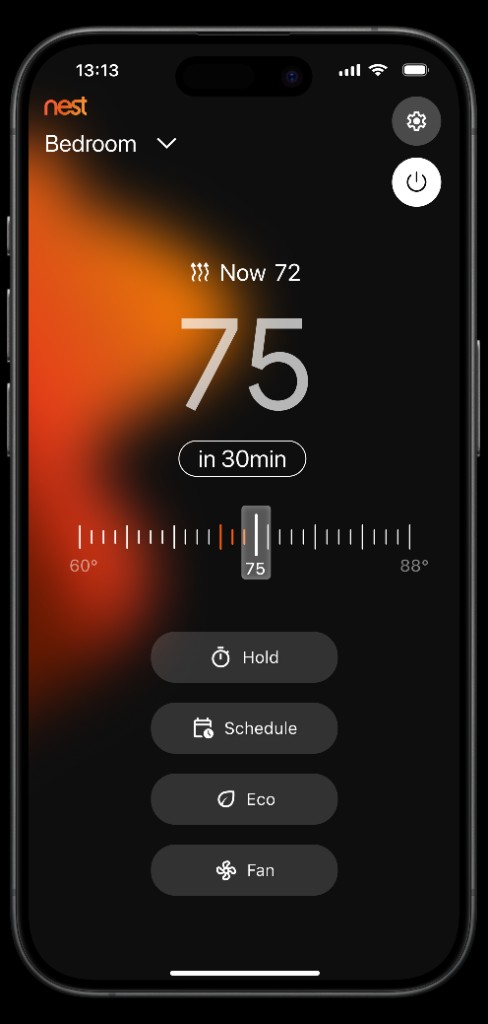
Color becomes a language representing system status. Warm orange for heating, cool blue for cooling, green for eco. Adaptive colors shift with every state change — the system communicates before you read a single word.

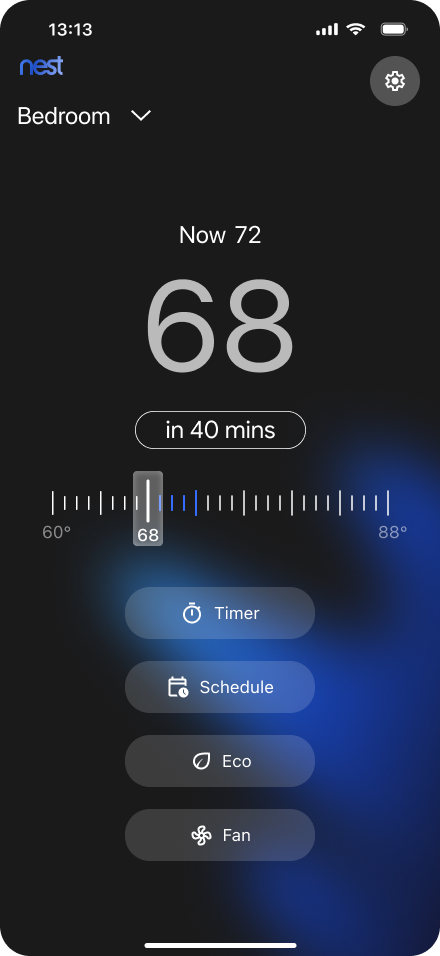
Testing the redesign
with real users.
A moderated usability study with 6 digitally-fluent participants evaluated both the thermostat hardware prototype and the mobile app across 9 tasks total.
Thermostat Hardware
Mobile App
Key Insights & Solutions
SUS Score
Below average threshold (68). Basic tasks worked smoothly — advanced features drove the score down.
A/B Test — Timer Feature
Set duration directly without selecting a mode first. Clearer separation of timer vs schedule.
Select mode, then set duration. Preferred by users who valued long-term scalability.
What we changed
and why.
Usability findings directly informed four key changes to the design before producing the final version.
Before
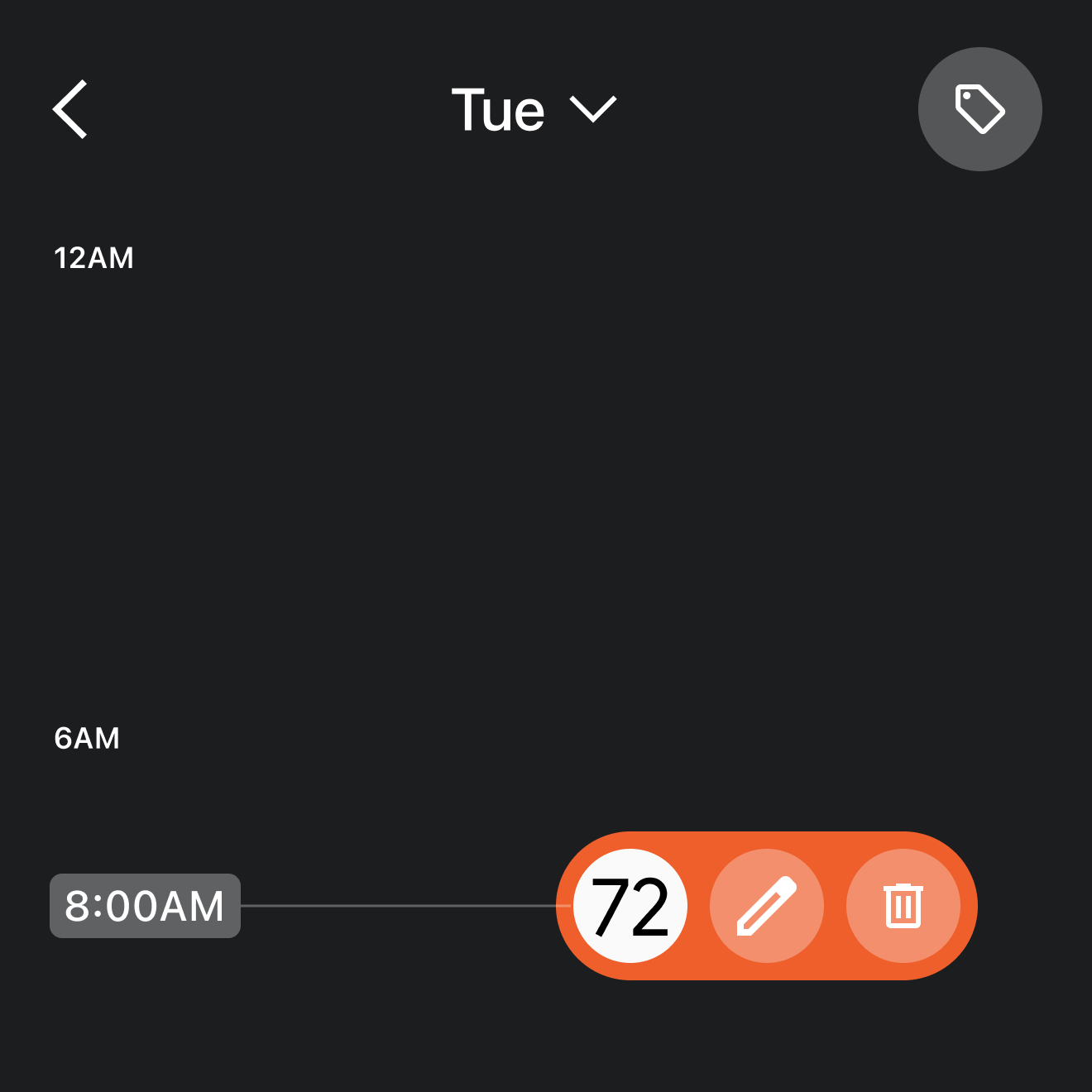
Applying an event to multiple days relied on a hidden interaction (top-right icon), causing 66% of users to fail the task.
After
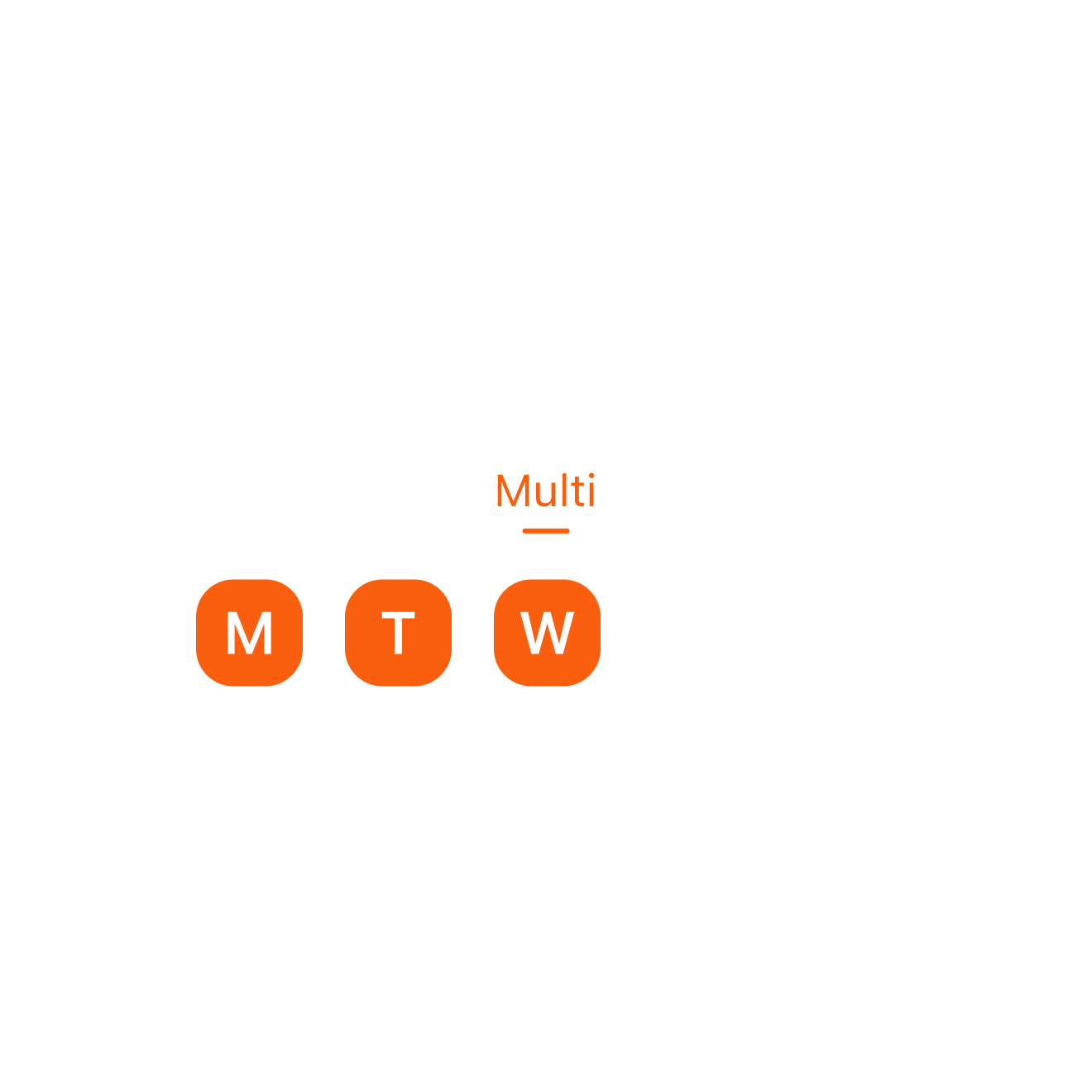
Introduced explicit view modes (Single Day, Multi-day, Events). Users now select the weekday first, then adjust the temperature — aligning the mobile app perfectly with the hardware thermostat's mental model.
Before
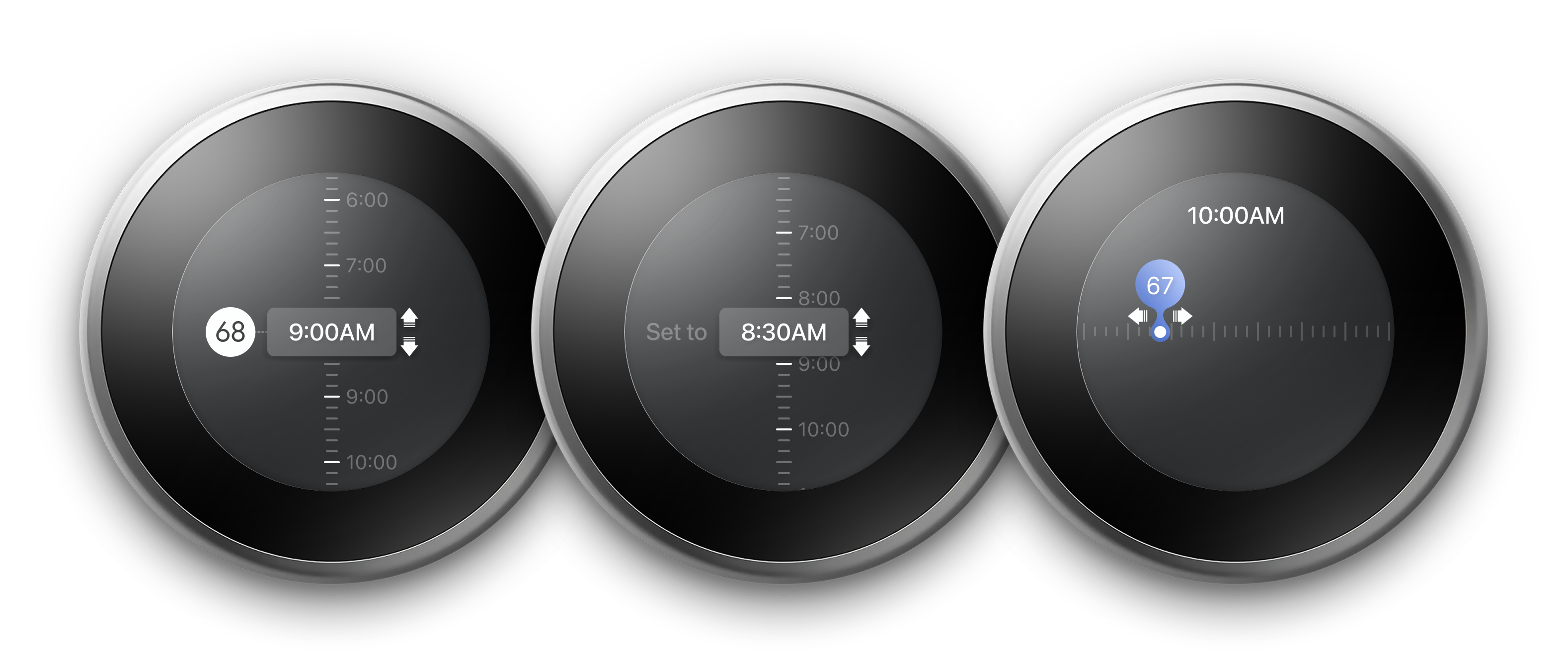
On the hardware thermostat, 50% of users were confused by the sudden jump from "setting time" to "setting temperature", and lacked clear visual confirmation after saving a schedule.
After
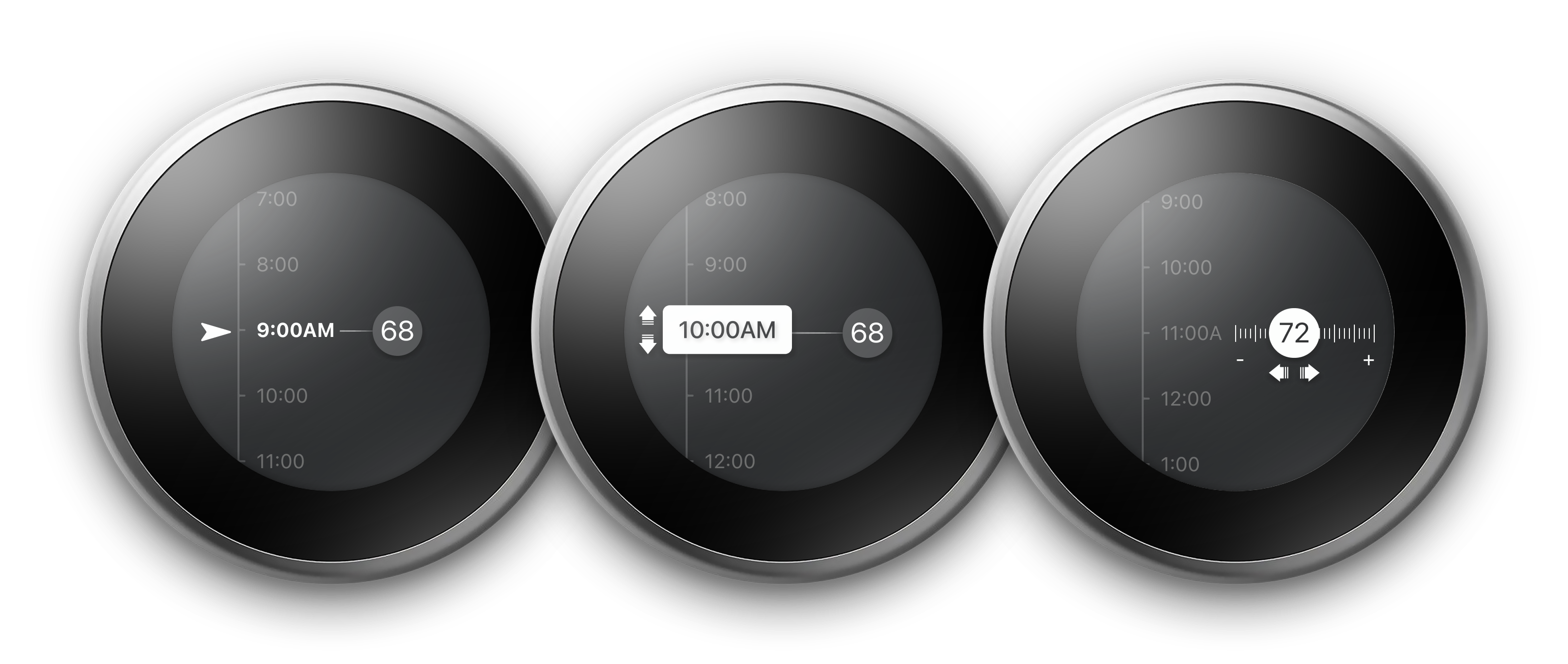
Redesigned the hardware UI to mirror the mobile app's component logic. Added smooth spatial transitions between time and temperature, and introduced explicit visual confirmation states, making system feedback instantly understandable.
Before

Orange and blue were used as general accent colors for temperature values, causing confusion since these colors inherently signify "heating" and "cooling" states in HVAC contexts.
After

Reserved orange and blue strictly for active system states (heating/cooling). Temperature values now use neutral typography, preventing semantic misinterpretation.
Before
Users were required to select a specific "mode" before they could set a timer duration, adding unnecessary friction to a quick task.
After
Implemented a direct timer flow based on A/B test results (preferred by 75% of users). Users can now set a duration immediately, clearly separating temporary overrides from the long-term schedule.
The redesigned
experience.
After iteration, the final design addresses all four friction points — with a unified interaction model across hardware and mobile.
Single input.
Automatic mode.
One target temperature. The system detects heating or cooling automatically — no dual-threshold decision, no mode selection.
Vertical timeline.
Events with context.
Reusable named events now display their temperature inline. Define once, apply across the week — with full context visible at a glance.


Named events.
Reusable across days.
Define events like Morning, Work, and Sleep once — each with a name, icon, temperature, and schedule. Apply them to any day without re-entering details.


Energy savings
made visible.
Eco mode surfaces real-time savings in dollars and percentage — actionable, transparent, and connected to user behavior.

Did the iteration
actually work?
After incorporating design changes from the evaluative study, we ran a second round of moderated usability testing with 5 participants across the same 6 mobile tasks to measure improvement.
Round 1 — Before Iteration
Round 2 — After Iteration
SUS Score — Round 1
Below average (68). Advanced scheduling and mode features were the primary friction points.
SUS Score — Round 2
Above average — rated "Good". Explicit day-selection, gesture hints, and the direct timer flow resolved the majority of friction.
One mental model.
Two devices.
Consistency is not achieved by making interfaces identical — it's achieved by sharing the same logic, color language, and interaction patterns across both surfaces.
Less complexity.
More control.
By aligning system intelligence with user mental models, the thermostat becomes easier to understand and more effective at supporting energy-efficient behavior.
Reduced cognitive load
Single-target input removes the dual-threshold decision entirely. Users set intent — the system handles all operational logic automatically.
Schedule configuration
Named reusable events replace the drag-and-edit timeline. A full week schedule sets up in a fraction of the original time.
Energy awareness
Real-time savings metrics and Eco indicators transform energy feedback from invisible background noise into actionable, visible data.
Cross-device usability
Shared interaction logic, color language, and scheduling model — users carry one mental model across hardware device and mobile app.