← Home
UX Case Study · iOS · 2024

Medication
adherence
for adults 65+

DoseCare is a medication management iOS app built around one core unmet need — confirmation. Designed from 9 user interviews and 129 research notes.

9Interviews
129Notes
5Insights
65+Target age
Role & Tools
Solo UX DesignerFigmaStarkSF SymbolsiOS
02 — Problem

The gap existing apps don't address

Older adults managing multiple daily medications face a problem that goes beyond scheduling. The challenge is often not remembering to take medication — it's remembering whether it was already taken. Existing reminder apps send alerts but offer no confirmation, no recovery from uncertainty, and no way to prove adherence.

Apps like Perx require complex manual prescription entry that many 65+ users cannot complete independently. This creates a reliance on family members at the very first step — before the product has delivered any value.

“How might we design a medication experience that helps older adults stay independent while making adherence more visible, understandable, and trustworthy?”
  • Reminders arrive but users have no way to confirm a dose was taken
  • Notification fatigue causes important alerts to be dismissed
  • Complex app onboarding forces reliance on family members
  • Caregivers have no reliable source of truth without overstepping
  • Doctor communication is fragmented from the medication record
03 — Research

9 interviews · 129 notes

Semi-structured interviews with patients and caregivers, secondary research on the doctor perspective, and affinity mapping with tag-based synthesis. 129 notes were cleaned, tagged, and grouped into themes around uncertainty, overload, reminder fatigue, and weak support loops.

The core finding shifted the product direction: adherence is not a scheduling problem — it is a confidence problem.

Methodology
Methods
Semi-structured interviews (patients + caregivers), secondary research (doctor perspective), affinity mapping + tag synthesis
Participants
9 total · patients + caregivers · primary: 65+ adults with chronic conditions
Session length
45–60 minutes each
Notes
129 notes tagged and grouped into themes
Focus areas
Current routines, missed-dose causes, caregiver verification, doctor communication patterns
Key finding
Adherence is not a scheduling problem — it is a confidence problem
Mrs. Eleanor
71 · Lives alone · Son is remote caregiver
“I've taken so many pills I can't always remember if I already took today's.”
Situation
Manages 6 medications daily. Previously tried Perx but abandoned it mid-setup.
Goals
Stay independent, feel certain she's managing her health correctly, avoid involving her son unless necessary.
Frustrations
Can't remember if she already took a dose. Too many notifications she's learned to dismiss. App entry felt medical and overwhelming.
Michael
44 · Eleanor's son · Remote caregiver
“I call her every day just to make sure she's taken her medication. I can't always tell if she actually has.”
Primary need
Exception-based visibility — know when something is wrong, not a full daily log.
Core tension
Wants to support his mother without making her feel monitored or incapable.
04 — Key Insights

What research revealed

9 interviews · 129 notes · affinity mapping → 5 findings

01

Confirmation is the real unmet need

Users were often unsure whether they had already taken a medication, especially when managing multiple doses across the day. No existing tool gave them a reliable way to check.
→ Design implication: prioritize explicit dose confirmation over reminders.
#confirmation#uncertainty#trust
02

Notification fatigue undermines adherence

Frequent, undifferentiated alerts trained users to ignore reminders entirely. Mrs. Eleanor's son reported she would dismiss notifications out of habit even when they were important.
→ Design implication: fewer, more meaningful alerts — not more.
#notification-fatigue#signal-vs-noise
03

Complex app entry creates a barrier at onboarding

Existing apps like Perx required manual prescription entry with medical terminology. Participants abandoned setup mid-flow or relied on family members to complete it.
→ Design implication: barcode scanning as the primary entry — manual as fallback only.
#onboarding#friction#scan-first
04

Simplicity enables independence

Older adults wanted to remain in control of their own routines but needed interfaces that felt calm, clear, and low-effort. Complexity forced reliance on others.
→ Design implication: each screen focuses on one task — no feature overload.
#autonomy#simplicity#calm-design
05

Accessibility is foundational, not optional

Readability, tap target size, and clear interaction patterns are central when serving 65+ users managing medication under cognitive or physical constraints.
→ Design implication: accessibility shapes layout, hierarchy, and feedback everywhere.
#a11y#older-adults#readability
05 — Define

How Might We

  • HMWHelp Mrs. Eleanor confirm whether a dose has actually been taken
  • HMWReduce notification volume without reducing adherence reliability
  • HMWMake adding medication feel approachable and error-proof from the first interaction
  • HMWGive her son visibility into exceptions without overstepping her autonomy
  • HMWBuild trust through clear confirmation states and straightforward language
Mrs. Eleanor — Medication Management Journey
Before DoseCare
After DoseCare
POSITIVENEGATIVEForgets medicinebody not healthyDoctor givesprescriptionStruggles withPerx entrySon helpsscheduleNotification fatiguestill forgetsHealth outcome
06 — Design Decisions

Why simpler won every time

Each decision prioritized reducing friction over adding features.

Decision 01 — Home Screen

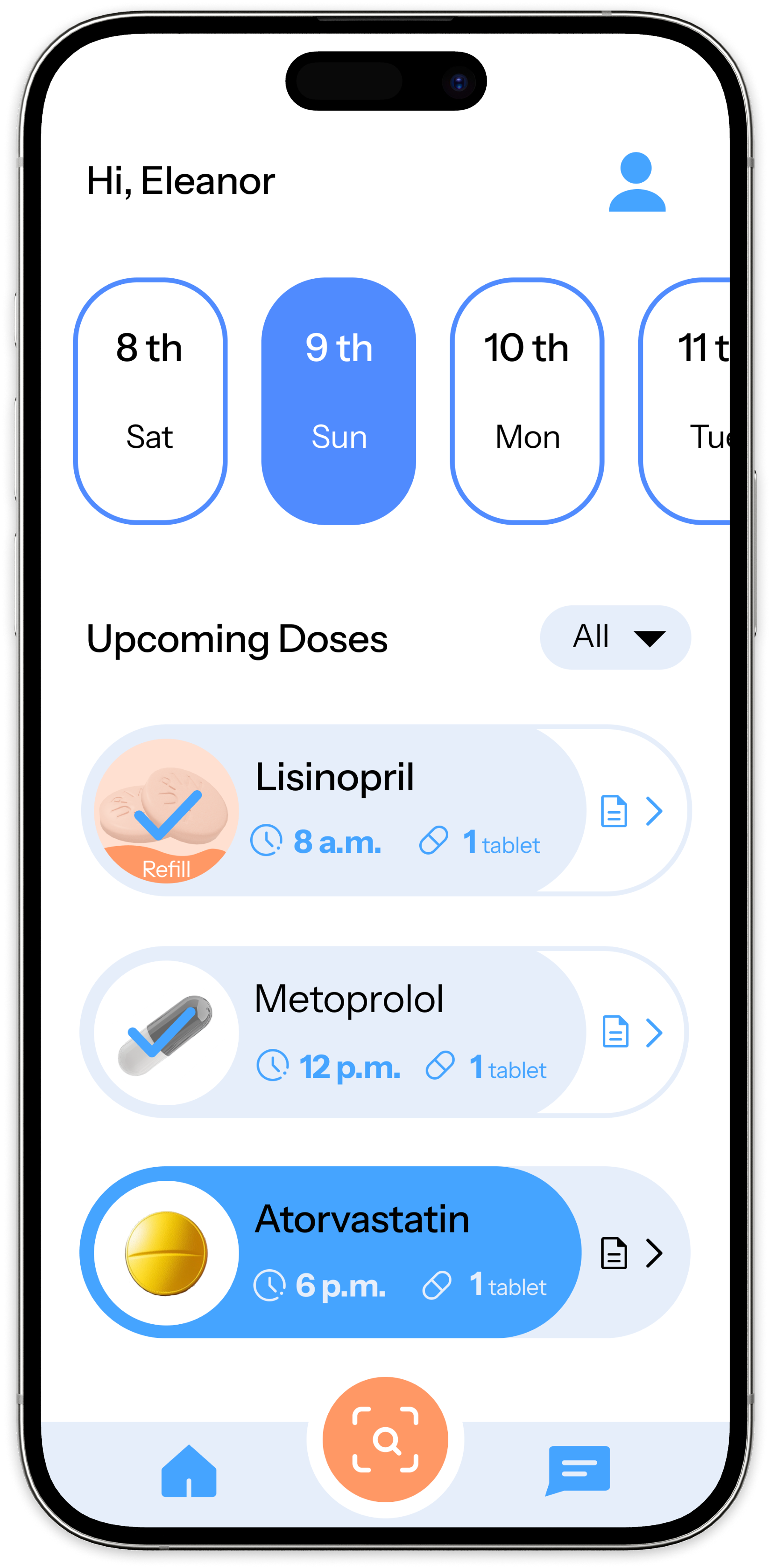
Today-only view as single source of truth

Decision
Home screen shows only today's doses with confirm / skip actions.
Alternatives
Full calendar view, multi-week schedule, notification-only model.
Reasoning
Limiting scope to today makes the current task immediately obvious and reduces anxiety from seeing future complexity.
Linked insights
#01 Confirmation · #04 Simplicity · #02 Notification fatigue

Decision 02 — Dose Confirmation

Confirmation embedded directly in the feed

Decision
Users confirm upcoming doses from the home feed without deeper navigation.
Alternatives
Dedicated confirmation screen, pop-up modal, notification reply.
Reasoning
The confirmation-first model must be instantly accessible — not buried one tap away.
Linked insights
#01 Confirmation · #04 Simplicity · #05 Accessibility

Decision 03 — Scan to Add

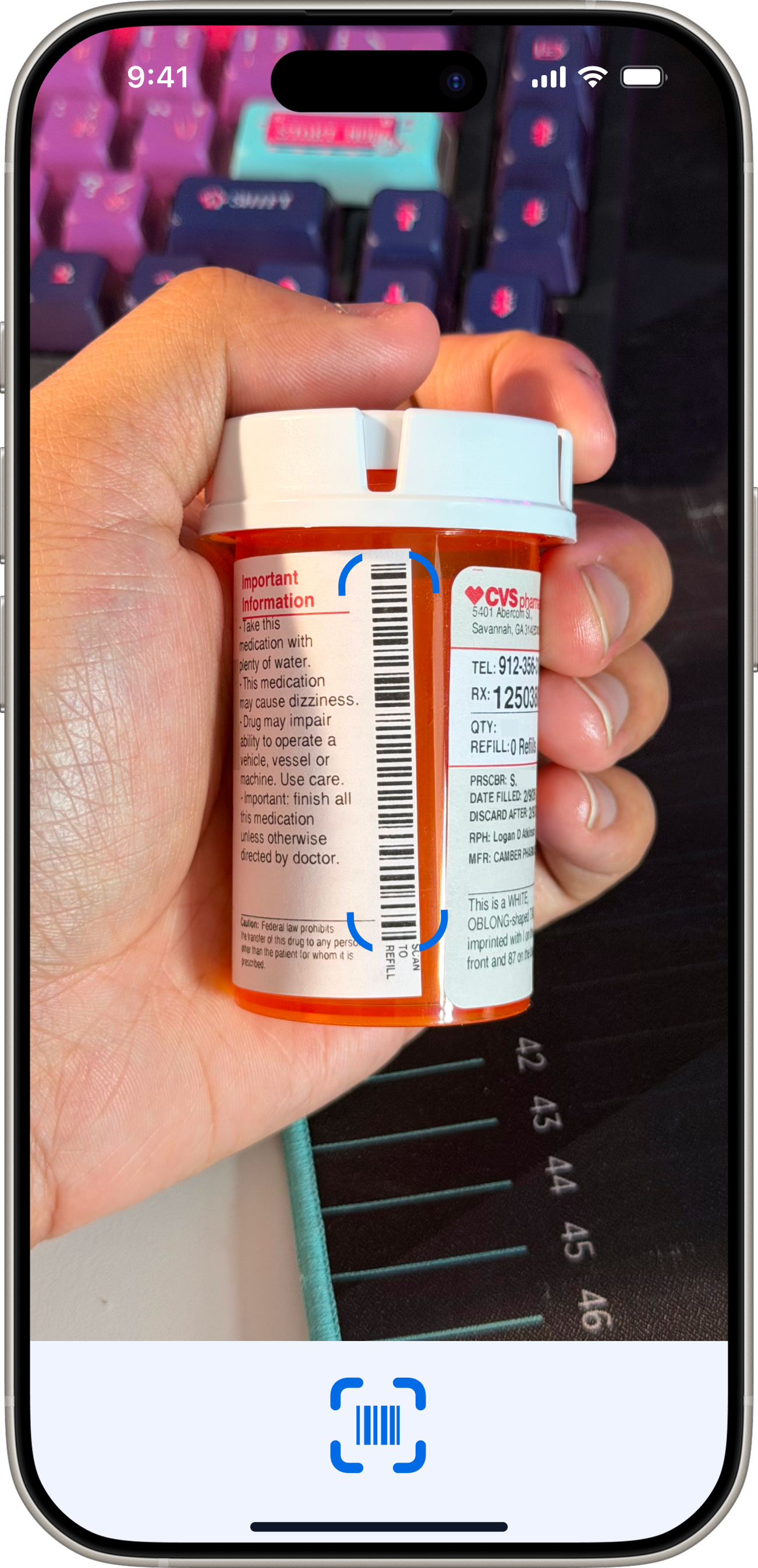
Barcode scanning as the primary entry

Decision
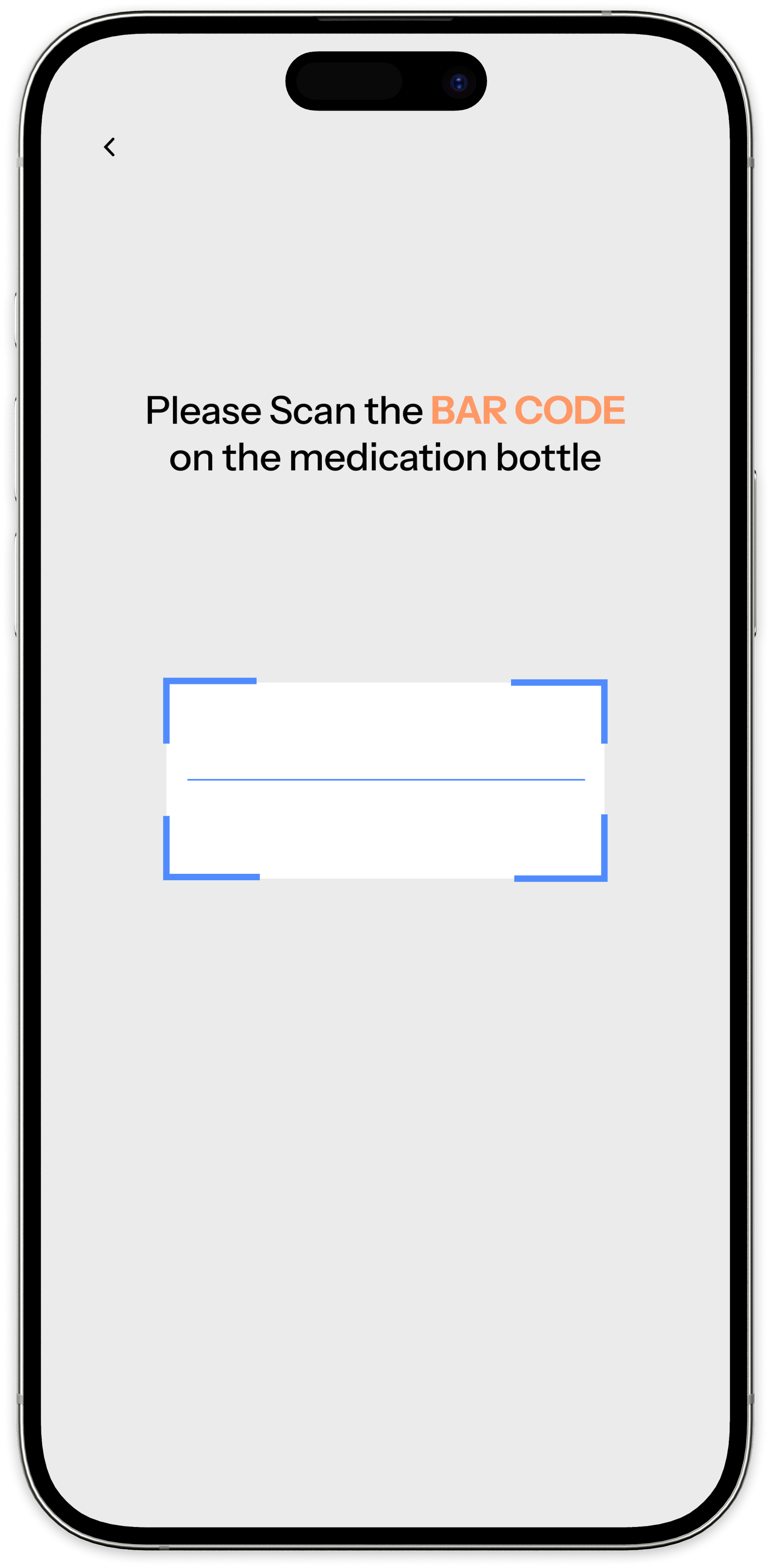
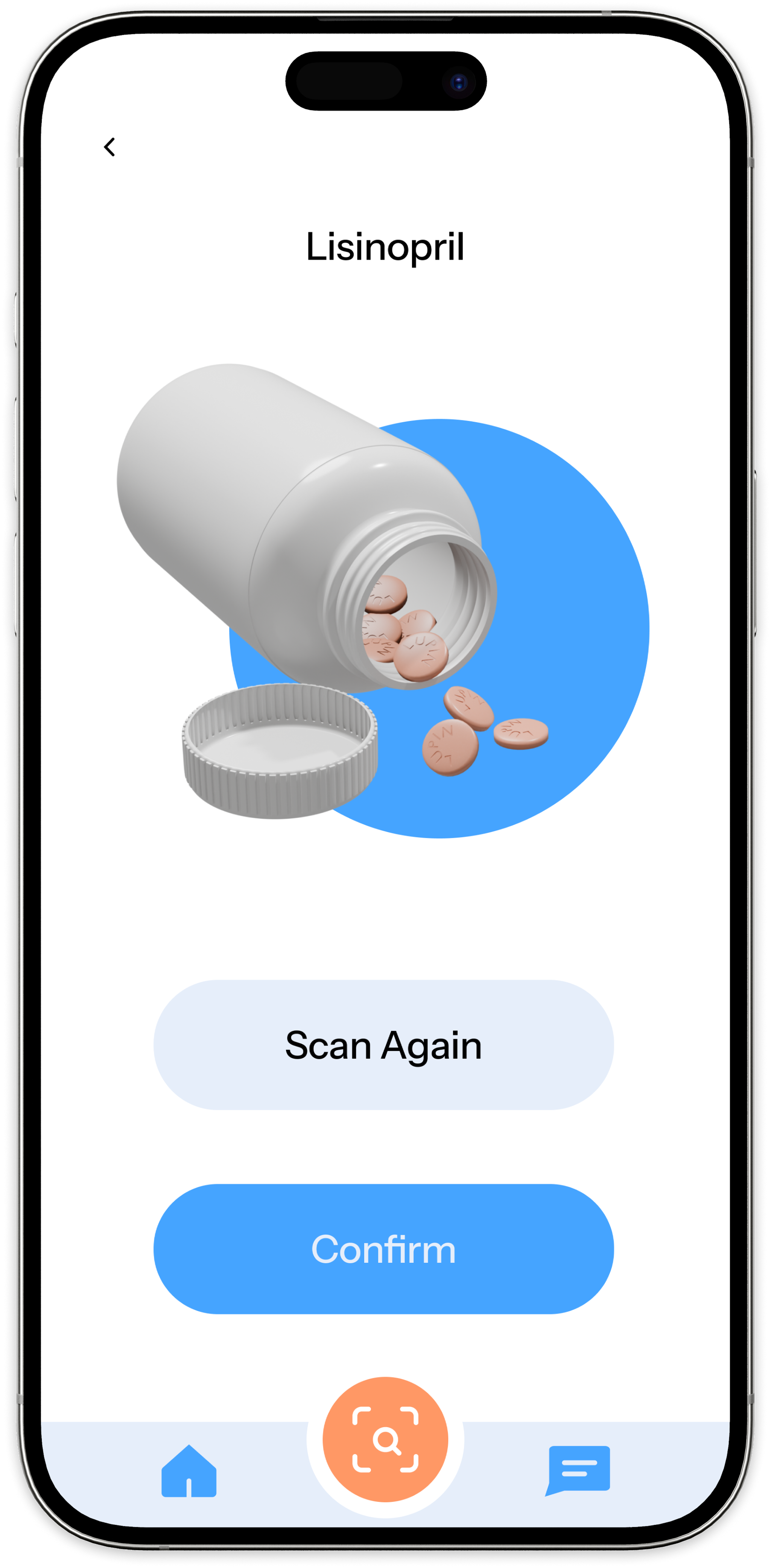
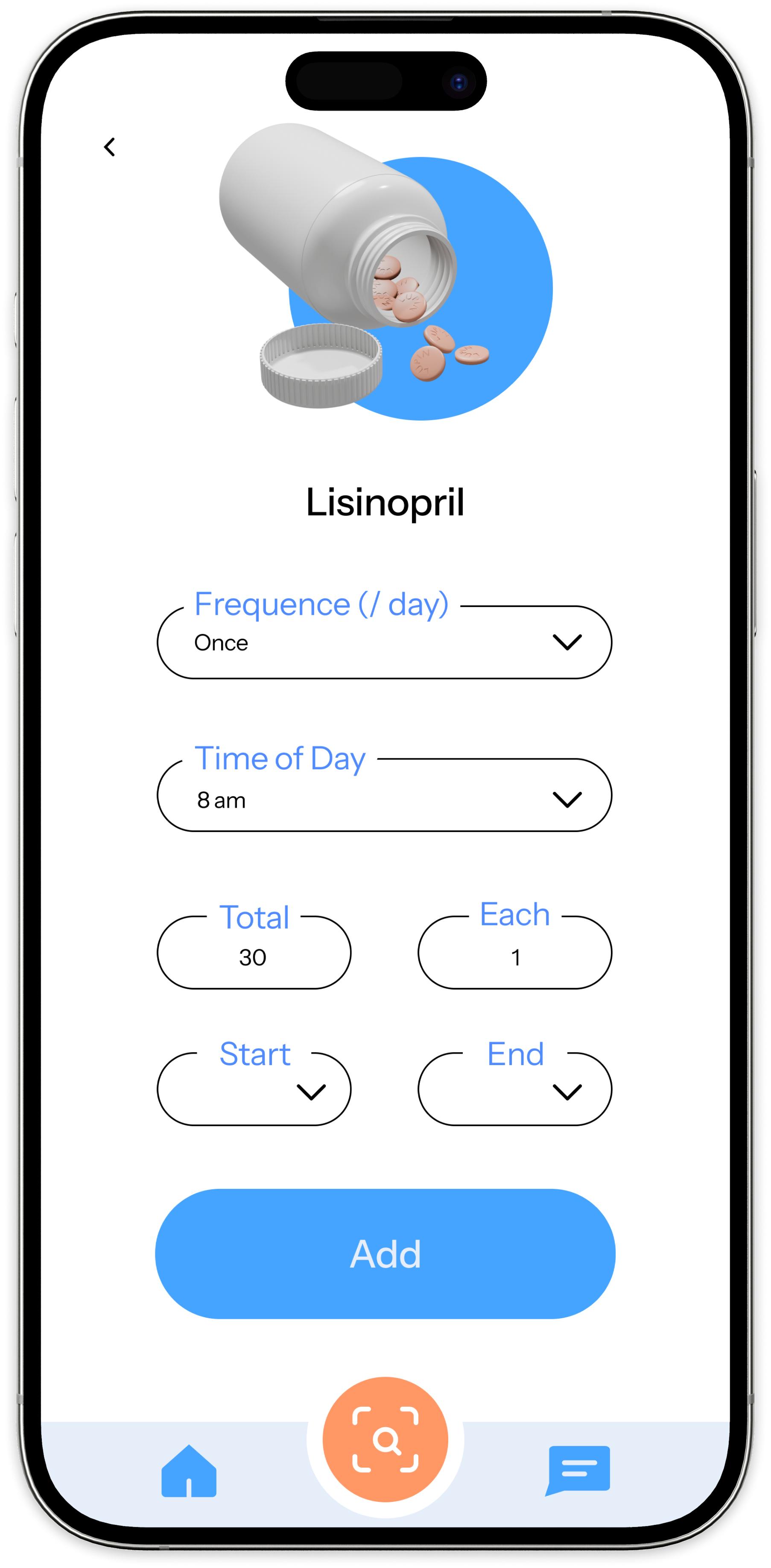
Barcode-first onboarding auto-fills pill name, dosage, and instructions. Manual entry sits below as fallback.
Alternatives
Manual form only, search-by-name, photo recognition.
Reasoning
Perx research showed manual entry caused abandonment. Scanning removes the complexity that forced users to ask for help.
Linked insights
#03 Onboarding · #04 Simplicity · #01 Trust

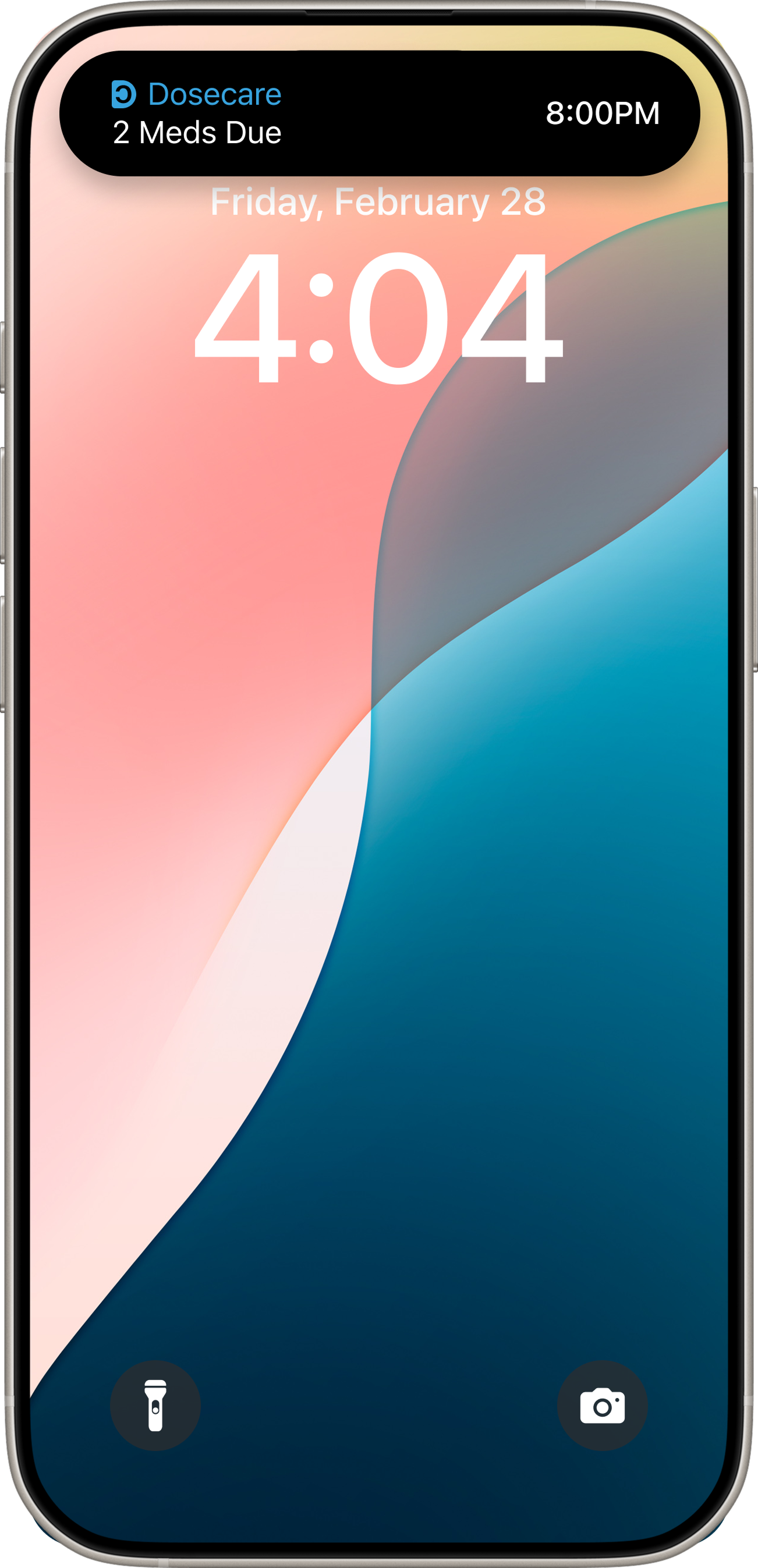
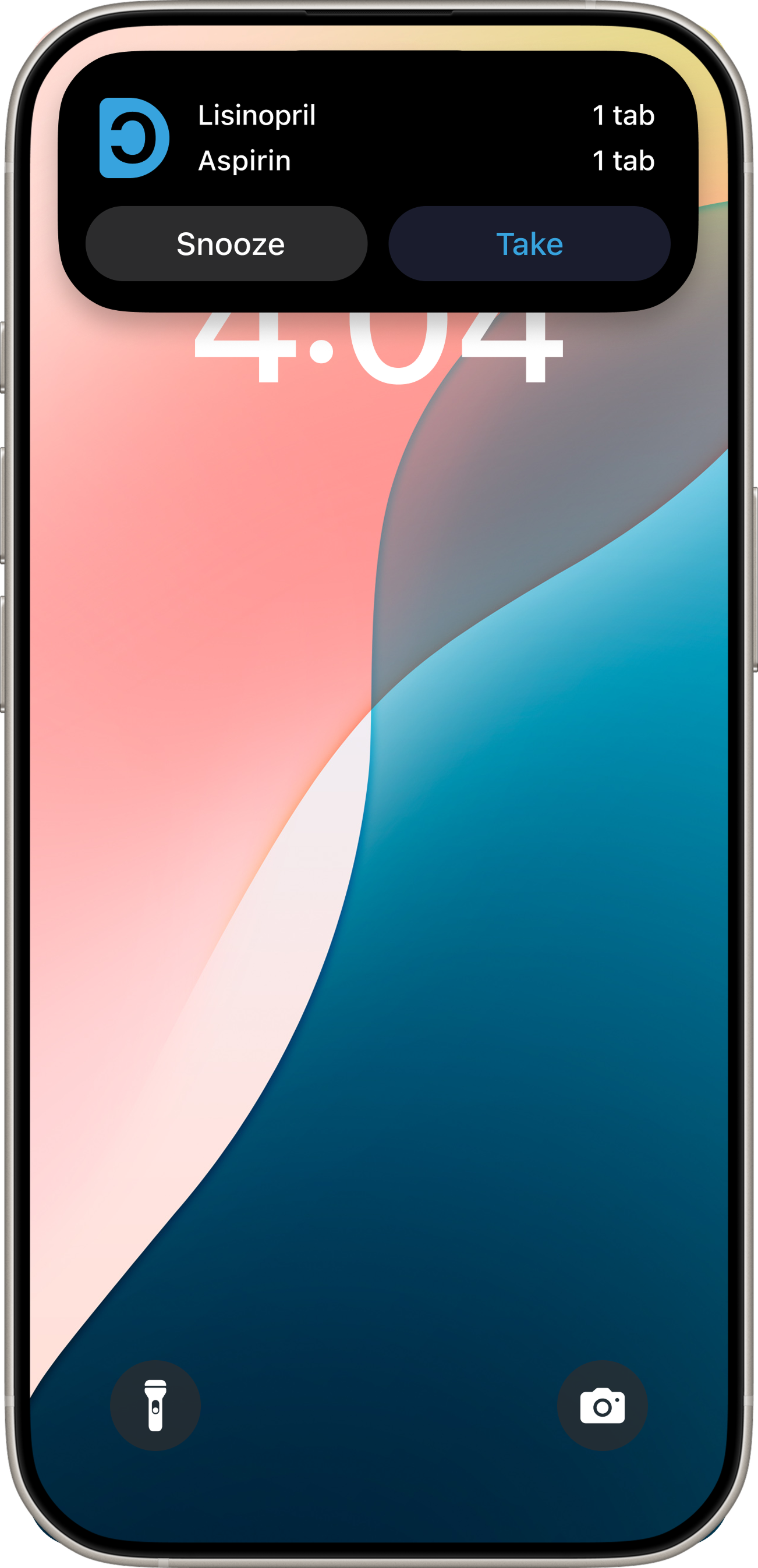
Decision 04 — Smarter Notifications

Fewer alerts, higher signal

Decision
Notifications fire only at scheduled dose times and for missed doses — not for every action.
Alternatives
Frequent check-in notifications, caregiver-triggered alerts, push on every event.
Reasoning
Notification fatigue was a root cause of non-adherence in research. Reducing alert volume increases the weight of each one.
Linked insights
#02 Notification fatigue · #04 Simplicity

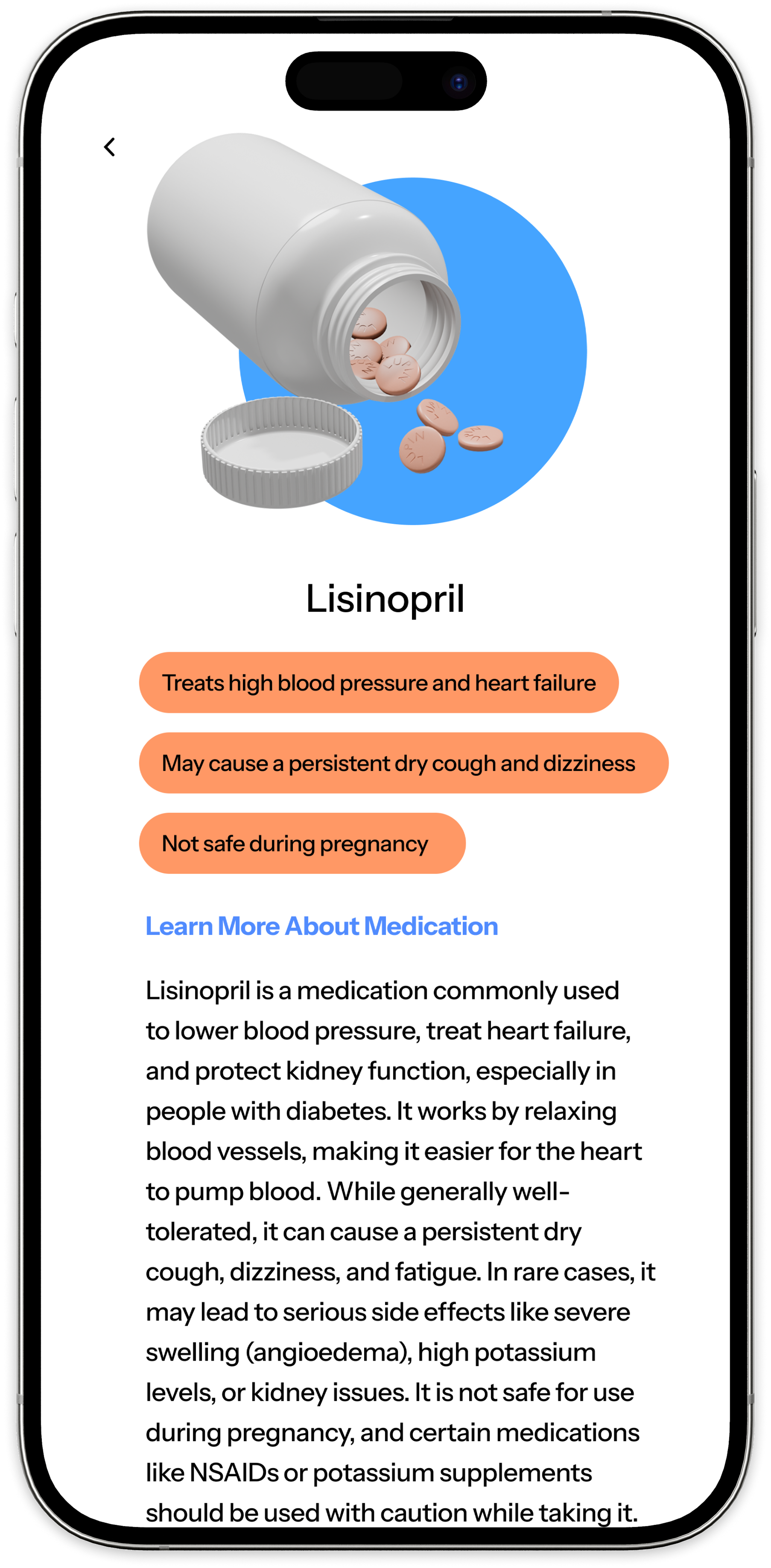
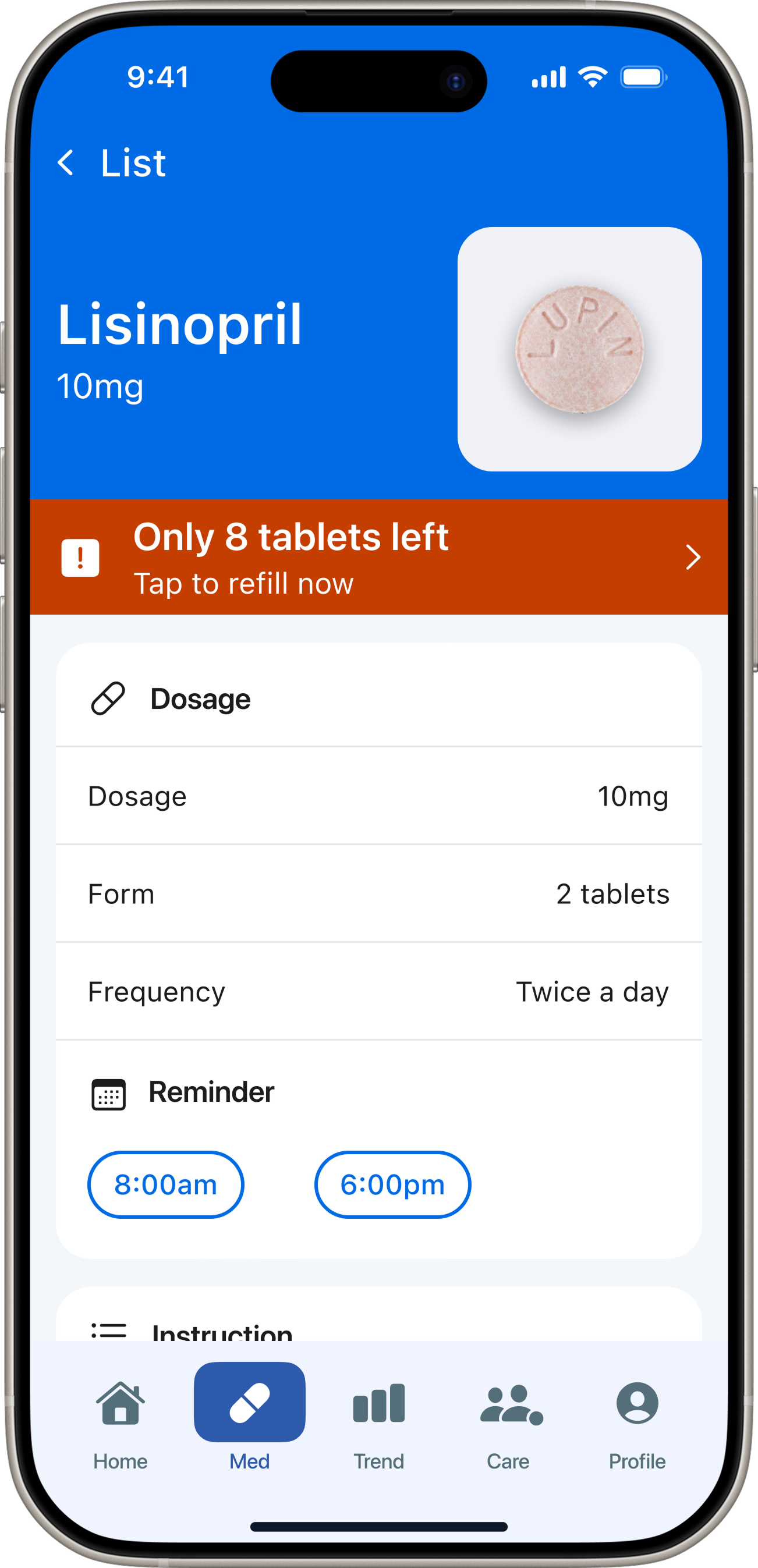
Decision 05 — Medication Detail

Education and clarity balanced in one view

Decision
Key warnings surface first; longer educational content stays accessible but collapsed.
Alternatives
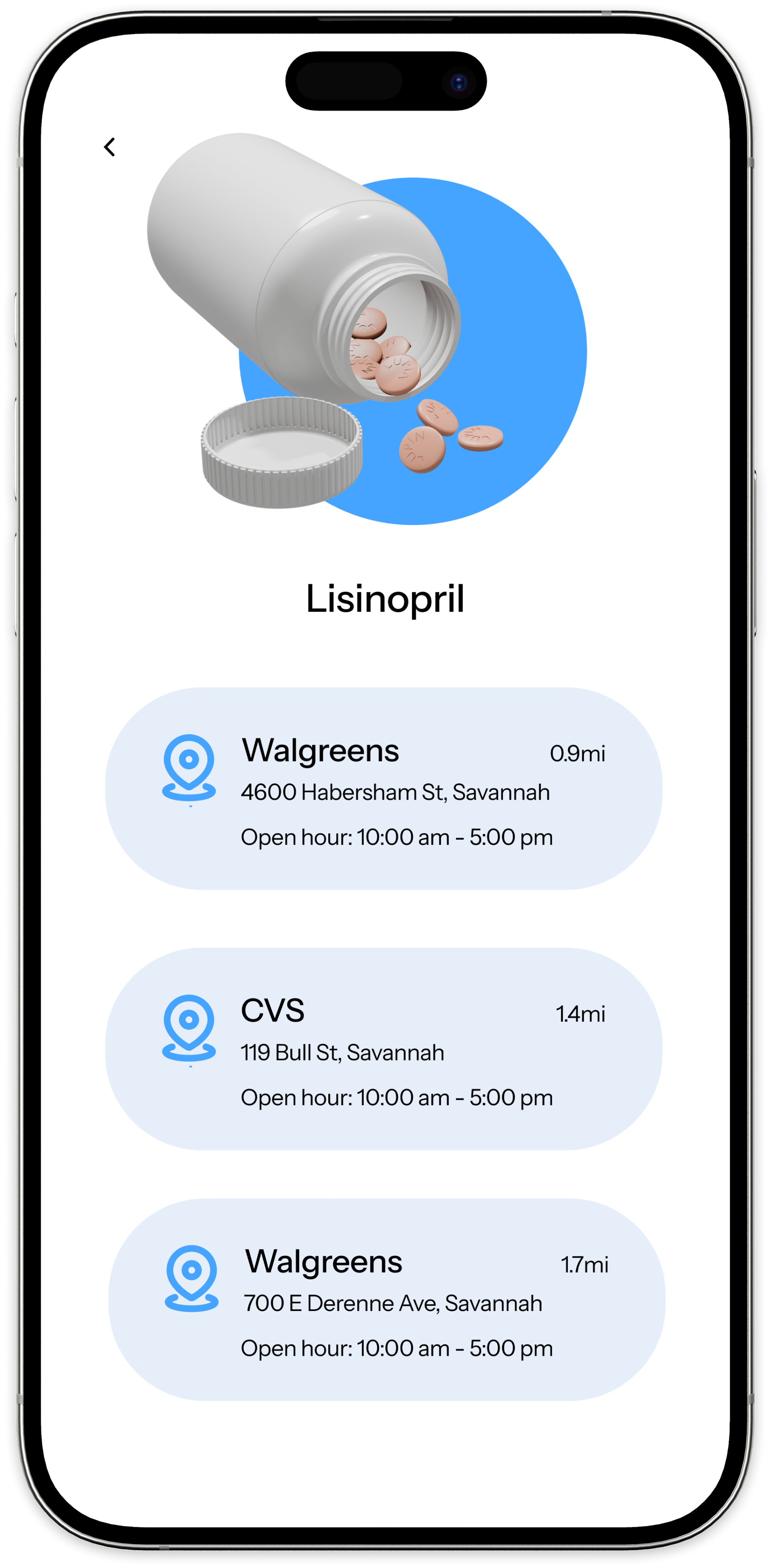
Flat list of all info, external pharmacy links only.
Reasoning
Progressive disclosure keeps the screen informative without overwhelming — especially for users managing 5–7 medications.
Linked insights
#04 Simplicity · #01 Trust · #05 Accessibility

Decision 06 — Caregiver Visibility

Exception-only signals for caregivers

Decision
Caregivers see missed dose alerts and today's summary — not the full schedule or history.
Alternatives
Full schedule view, real-time tracking dashboard, no caregiver access.
Reasoning
Mrs. Eleanor's son called daily to verify. The design reduces that burden while preserving her autonomy — he sees exceptions, not surveillance.
Linked insights
#02 Notification fatigue · #04 Autonomy
07 — Design Principles

Five values that shaped every decision

Derived directly from research insights. Each design decision was evaluated against these principles.

  • Confirmation First
    The system should make it easy to record whether medication has actually been taken. Confirmation is the core interaction — not reminders.
  • Simplicity Over Completeness
    Each screen focuses on the most important task. Secondary details appear when needed, never all at once.
  • Progressive Disclosure
    Refill info, side effect details, and educational content surface on demand — not upfront.
  • Accessibility by Default
    Large typography, clear contrast, 48pt minimum touch targets, and icon + label status states. Designed for 65+ from the ground up.
  • Autonomy With Support
    Users feel independent while having access to caregiver visibility and doctor communication — when they choose it.
08 — First Version

Hi-fi v1 — tested, not shipped

Built directly from design decisions. Usability testing revealed where these assumptions broke down.

Home

Initial dose feed concept
  • Flat list with no time grouping
  • Combined confirm + skip into one ambiguous tap
  • No visual confirmation state

Add Medication

Manual-first entry
  • Required medical terminology upfront
  • Scan as secondary option, buried below form
  • No auto-fill after scan

Medication Detail

All info shown at once
  • Flat dump of warnings, dosage, schedule, side effects
  • No progressive disclosure
  • Information overload for 65+ users
09 — Usability Testing

Did it work?

Task-based testing across three core flows: adding a medication, responding to a reminder, and finding medication information. The goal was to identify where users hesitated, what felt intuitive, and what needed clearer guidance.

Users were unsure where to begin adding medication
Add-medication flow had 80% completion but 40% of users hesitated at the entry point — it was not self-explanatory enough.
80% completion · 40% hesitation at entry
Reminder confirmation was easy to complete
The reminder confirmation flow reached 100% task completion. Users found the action-oriented interaction clear and satisfying.
100% completion · positive sentiment
Medication information entry point was too subtle
80% completion rate on the medication info task. One participant could not find the information button — the access point needed more prominence.
80% completion · 1 user failed to locate
Design changes from testing
  • Removed redundancy between scan and add entry points — consolidated into a single clear CTA.
  • Replaced “Skip” with “Later” — felt more natural and less punitive for older adults.
  • Made the medication information entry point more direct and visually prominent.
Reflection on testing

Testing confirmed that the reminder confirmation flow was clear and satisfying — validating the confirmation-first model. It also exposed friction in onboarding and information discovery, reinforcing that clarity at entry points is as important as clarity in the core flow.

10 — Information Architecture

Final app structure

Patient app — 5 tabs. Refined after usability testing.

  • HomeToday-focused dose feed with confirmation actions
  • MedicationDetailed medication info, schedules, and side effects
  • Scan / AddBarcode-first entry with manual fallback
  • CareLightweight doctor communication for medication questions
  • ProfilePreferences, settings, and caregiver access controls
11 — Final Design

High-fidelity screens

Home & Confirmation

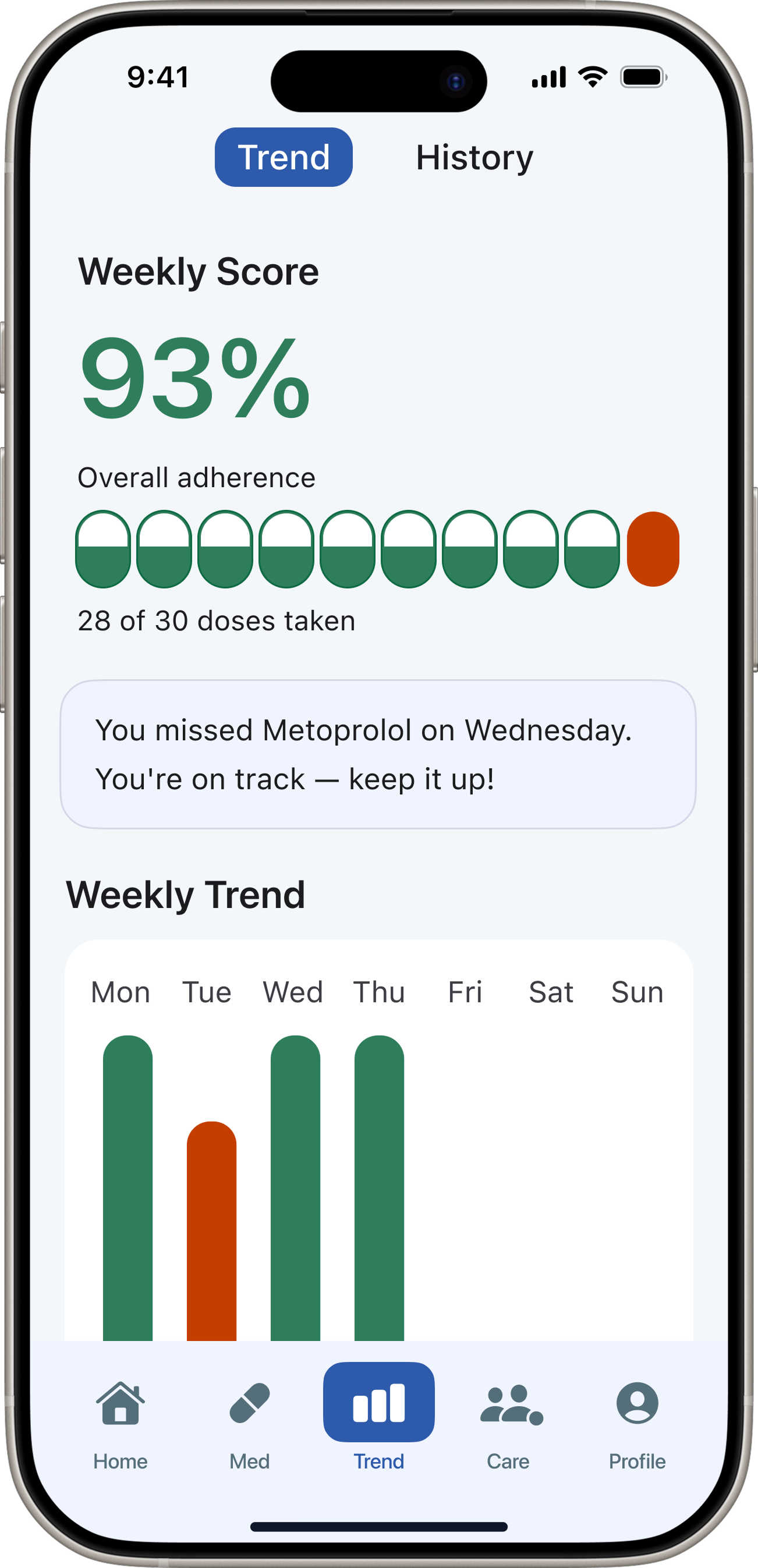
Today-focused dose feed
  • Today dose cards with confirm / skip
  • Time-grouped medications
  • Confirmed state stamp with timestamp

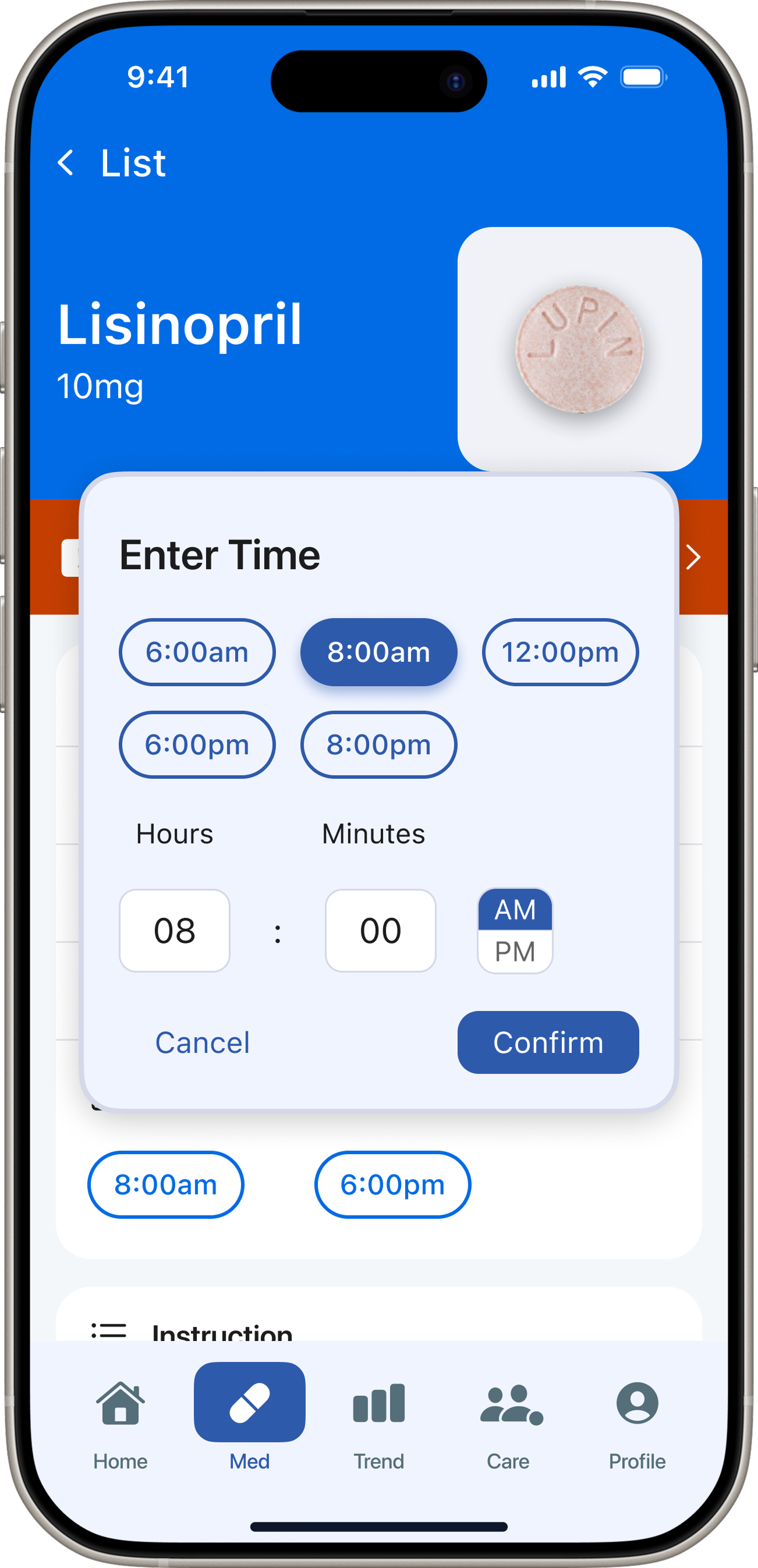
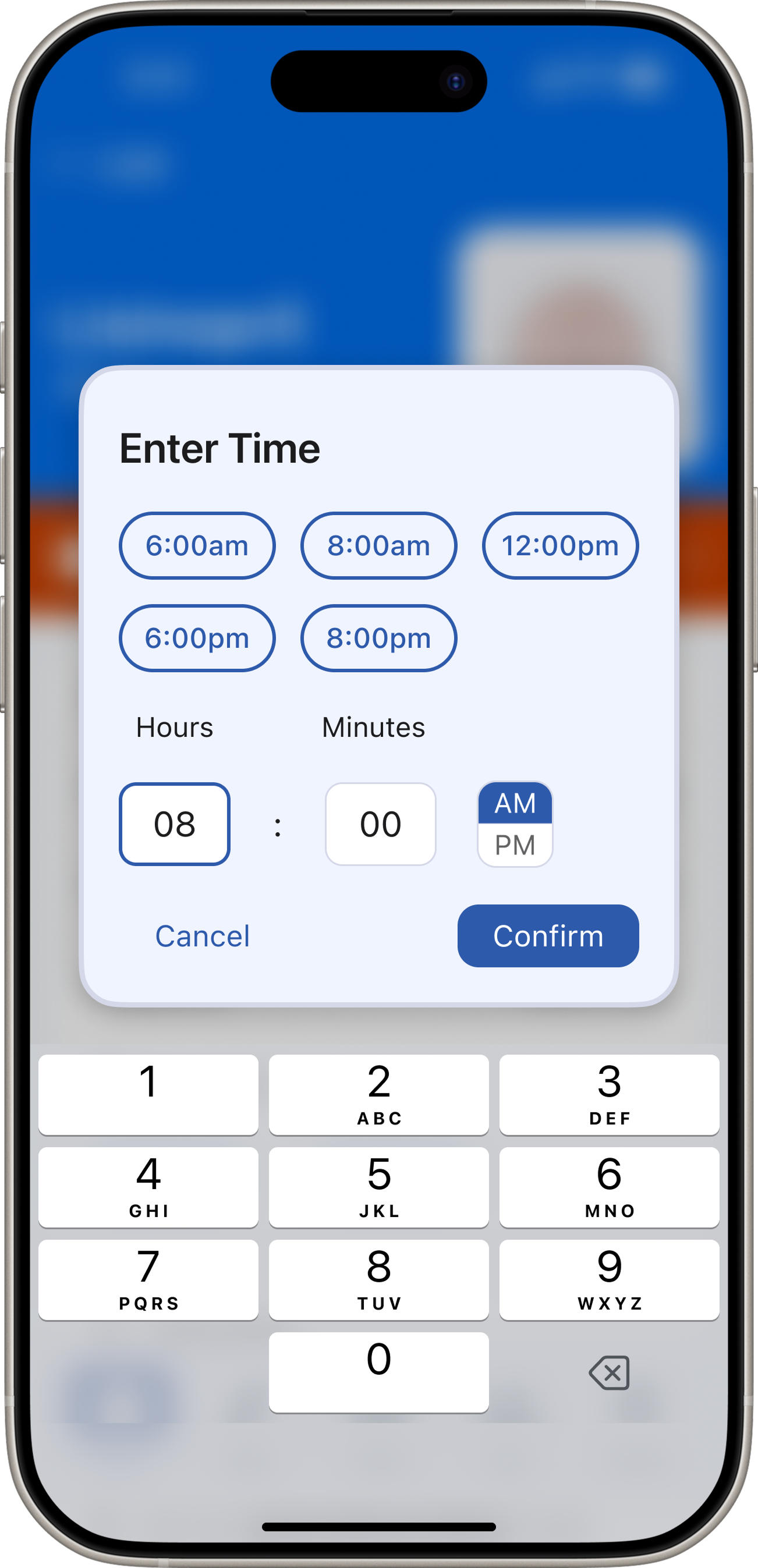
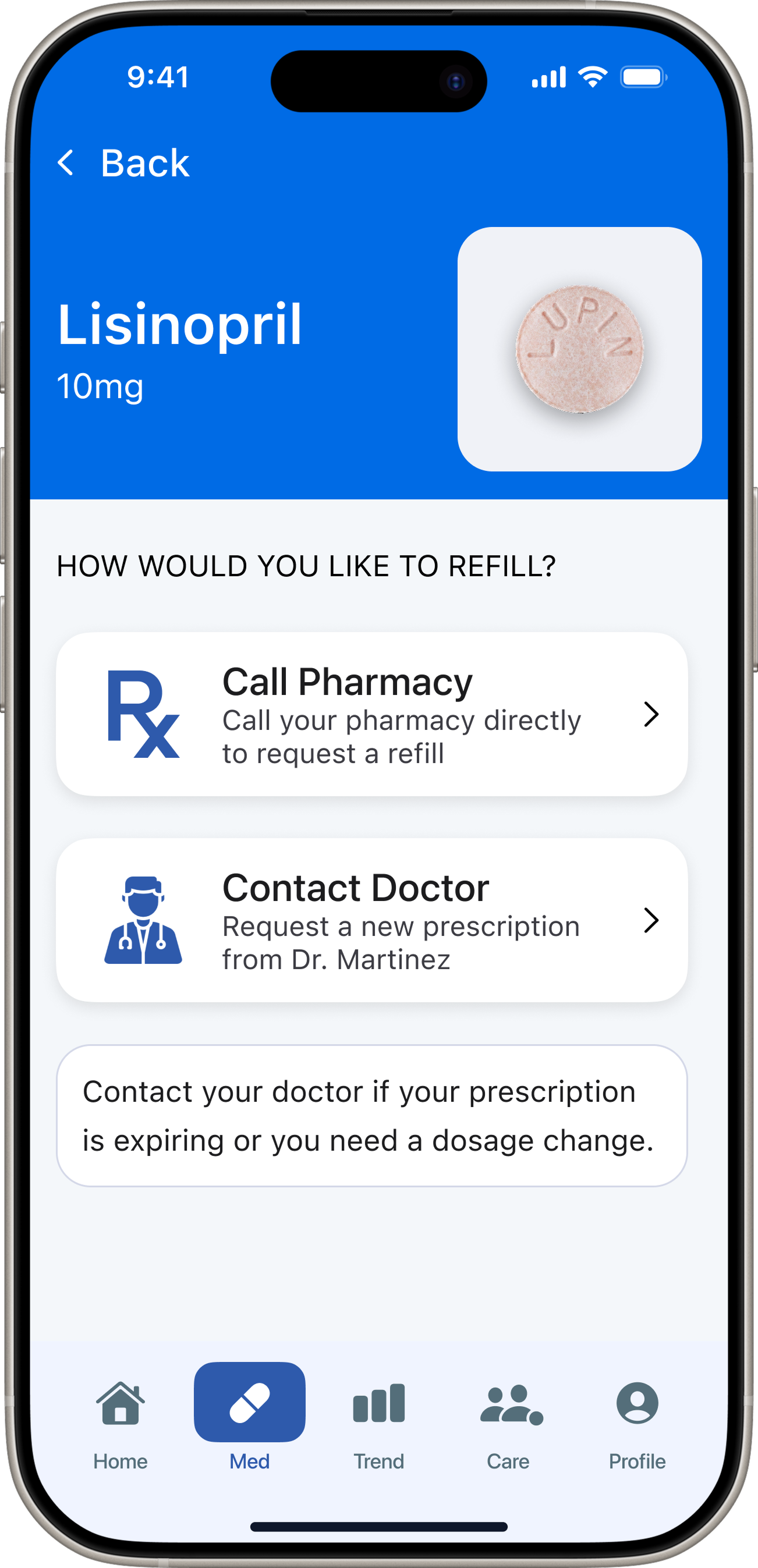
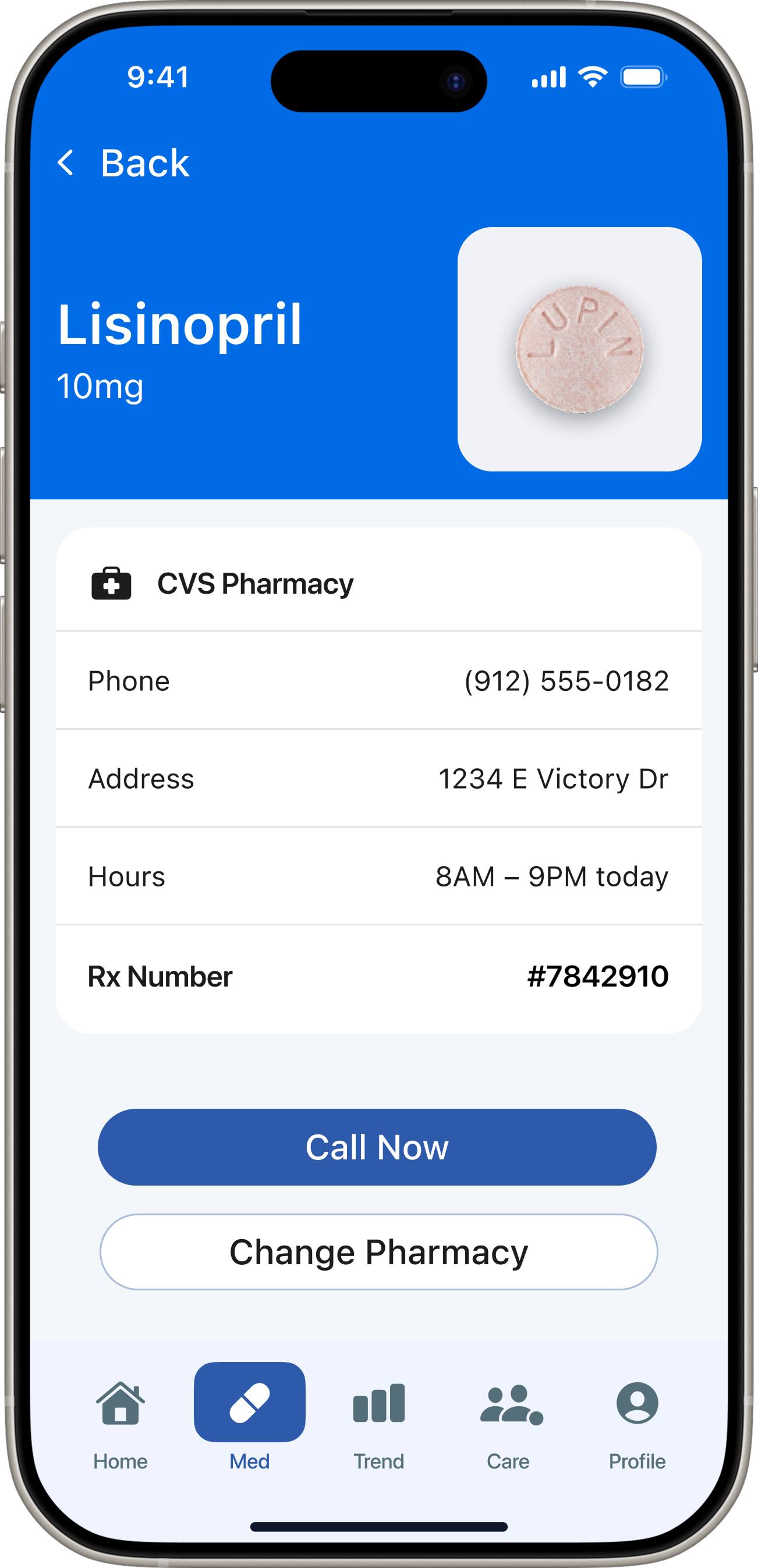
Medication List & Detail

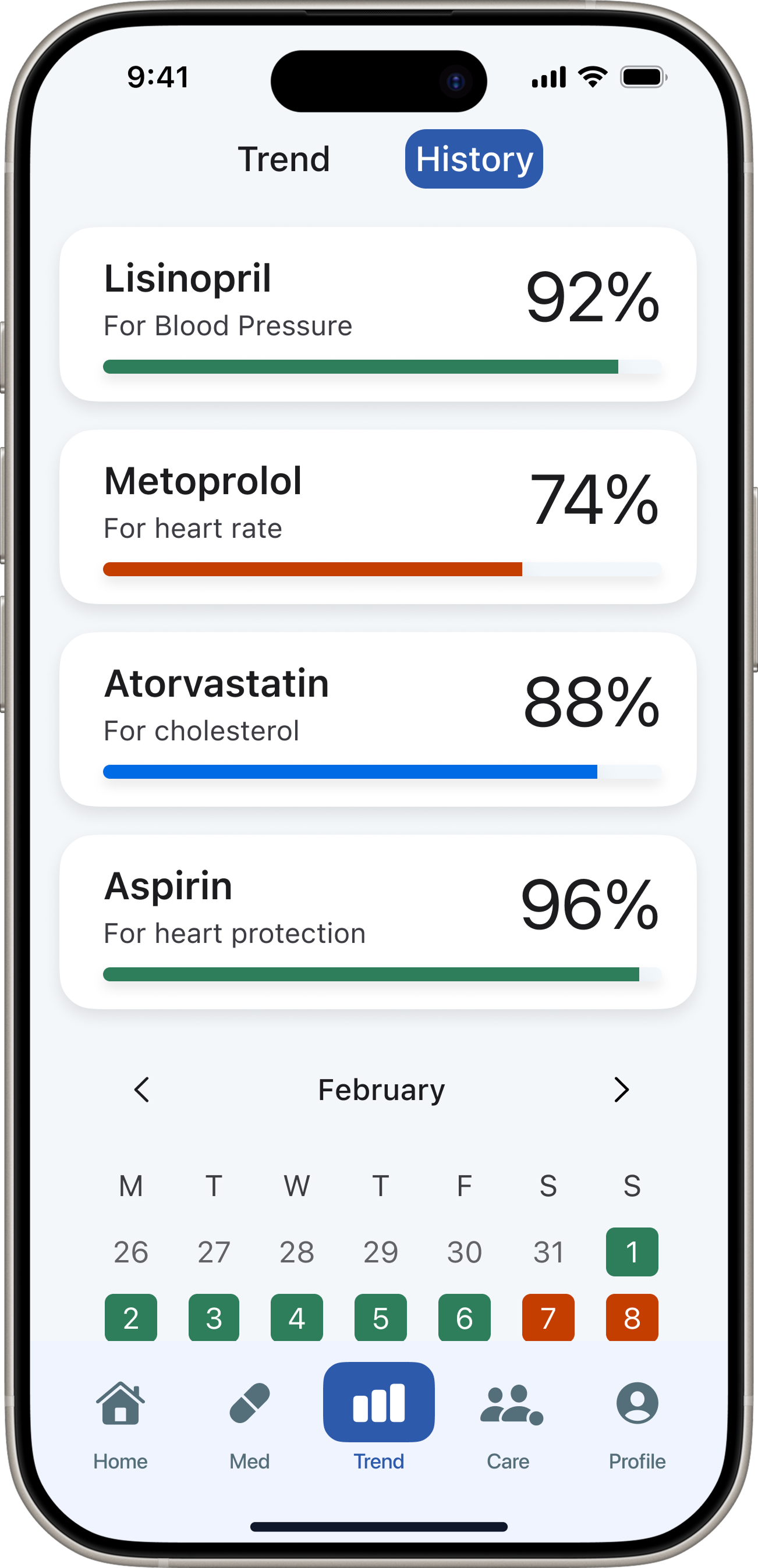
Education, schedules, and warnings
  • Sortable medication list
  • Detail with progressive disclosure
  • Warning and refill indicators

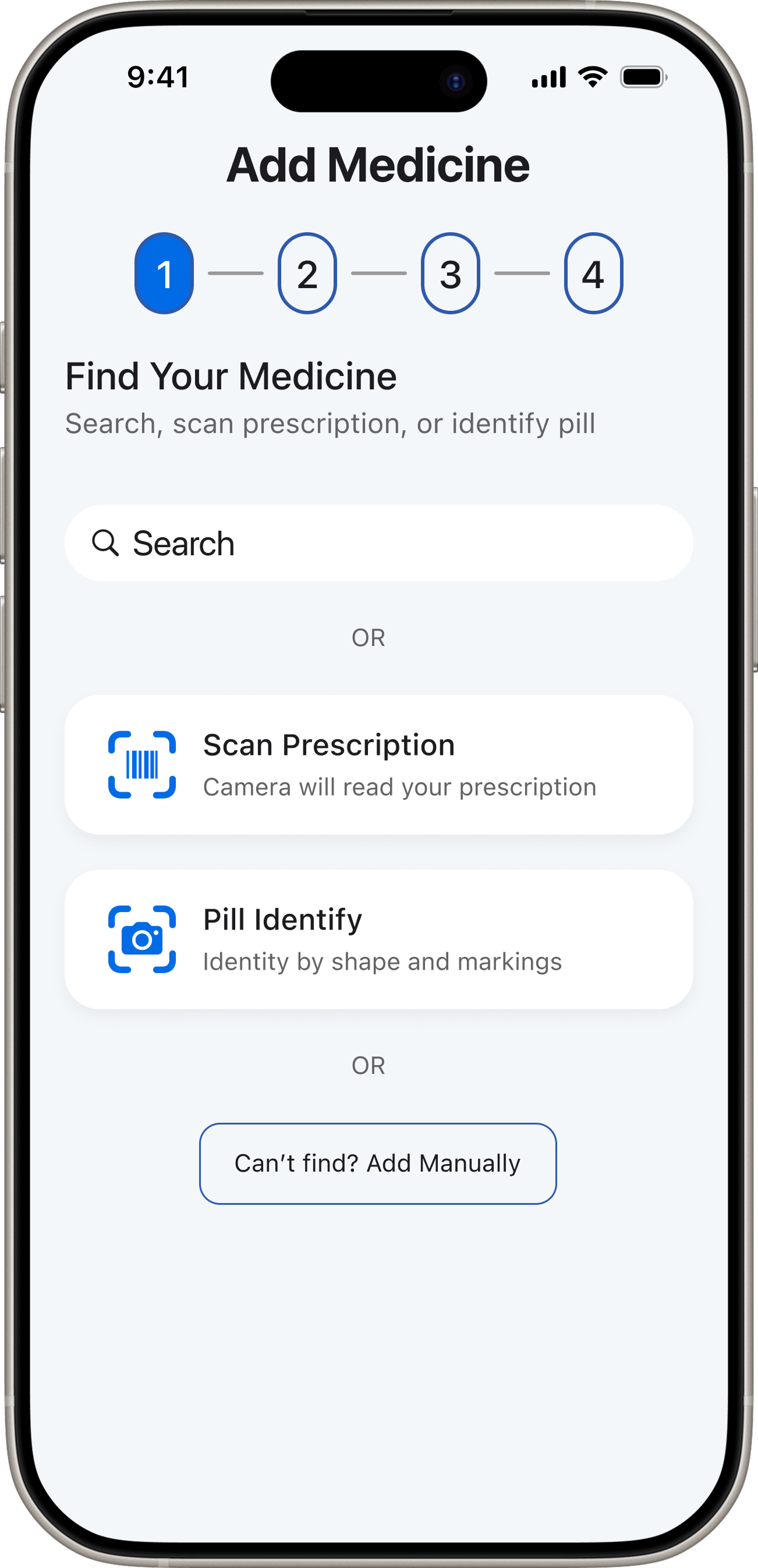
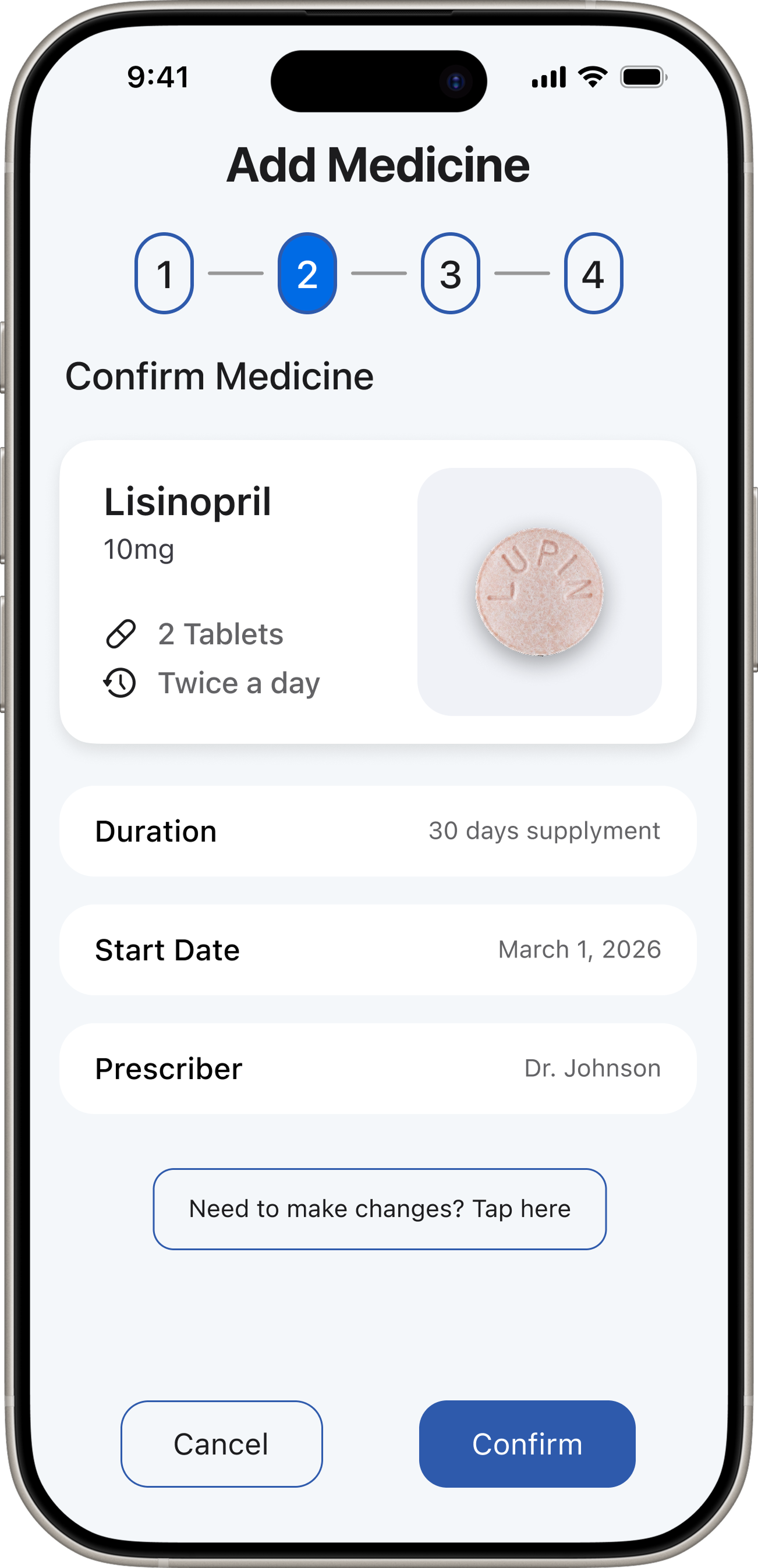
Add Medication Flow

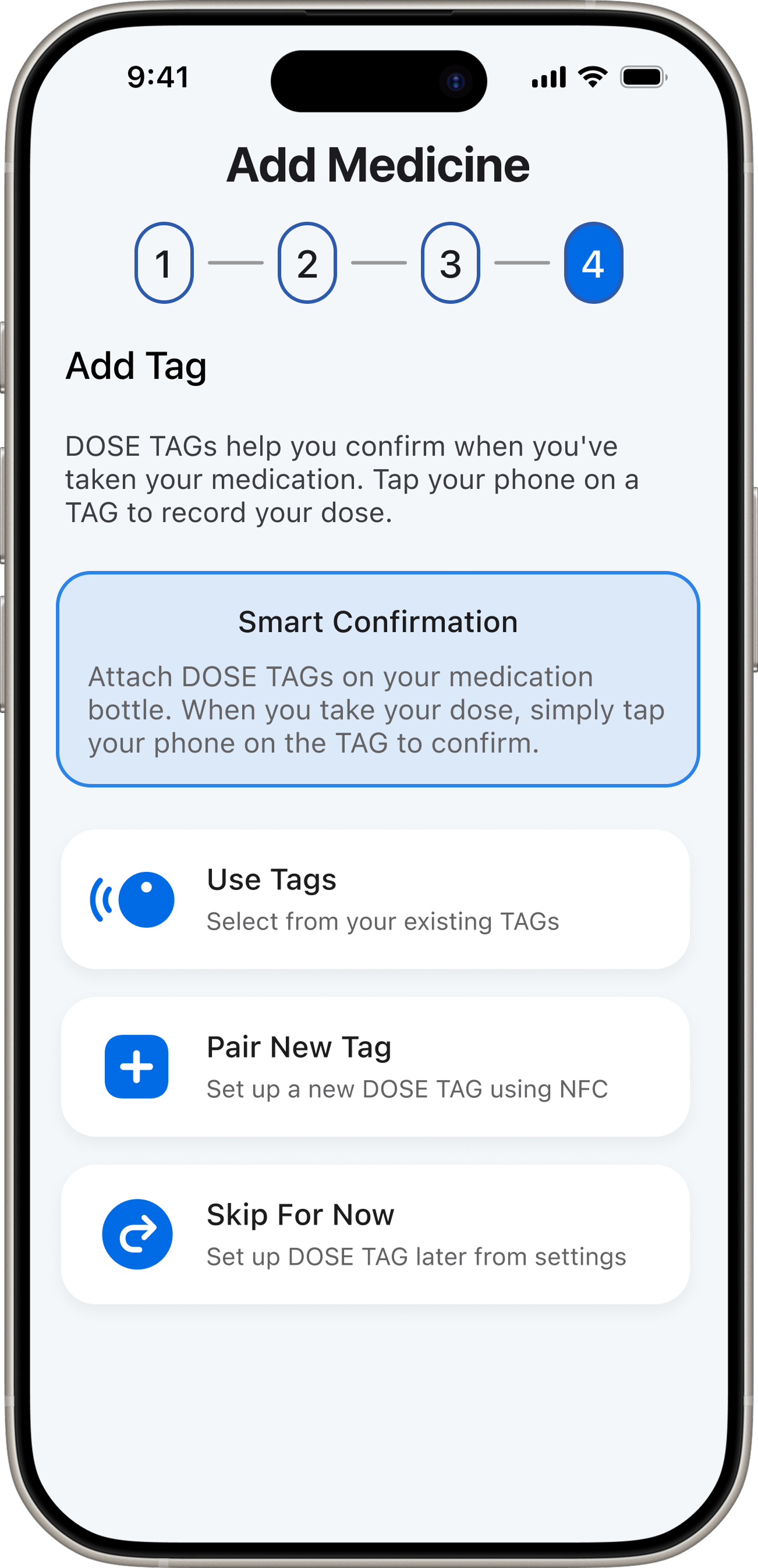
Barcode-first onboarding
  • Scanner view with barcode detection
  • Auto-filled detail form
  • Manual entry fallback with plain-language labels

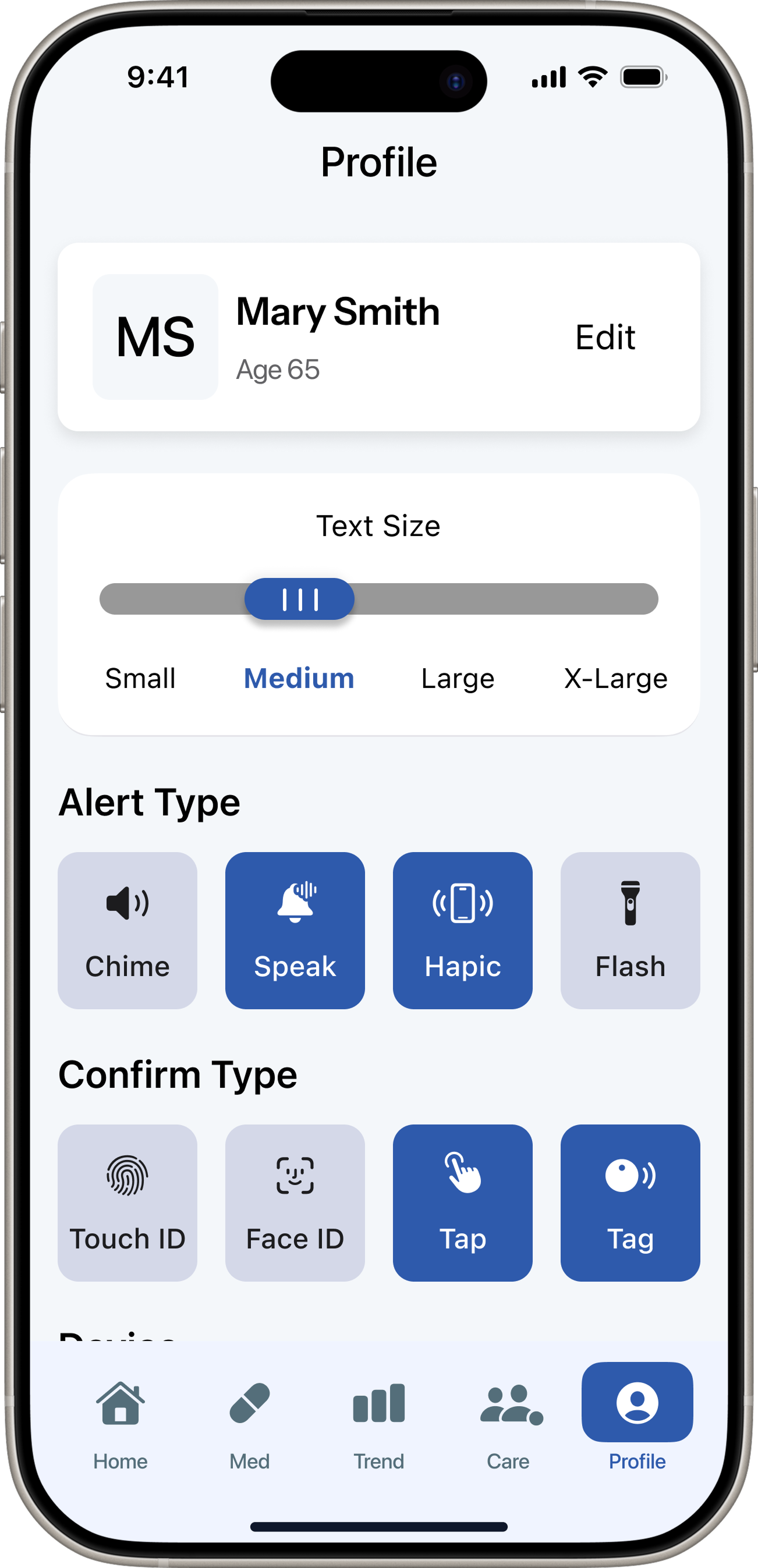
Profile & Settings

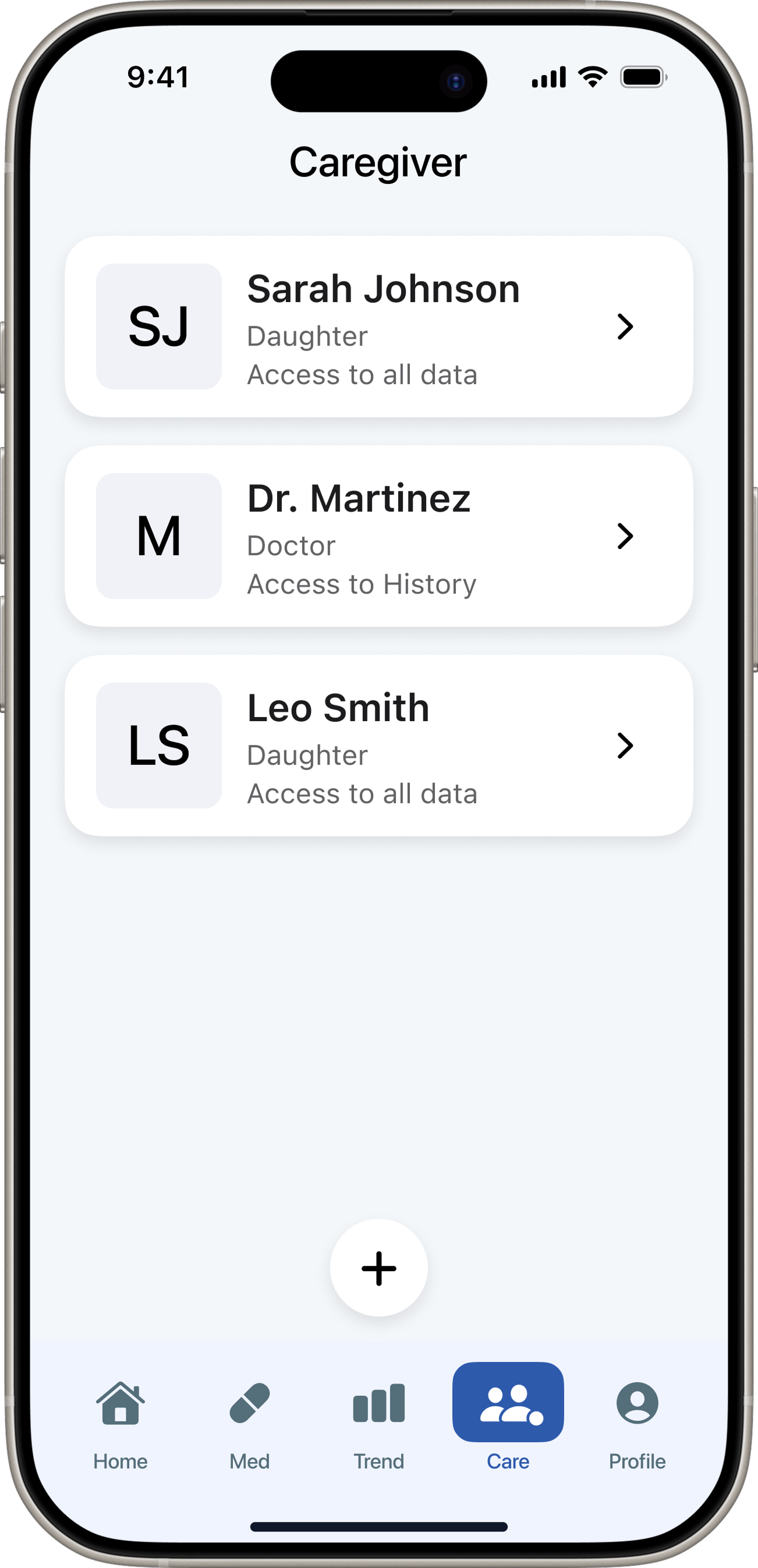
Preferences and caregiver access
  • Notification preferences
  • Caregiver permission controls
  • Account and support

Doctor Communication

Medication-linked messaging
  • Message thread per medication
  • Structured question templates
  • Read receipts

Caregiver App

Exception-only visibility
  • Missed dose alerts
  • Today's adherence summary
  • Quick message to patient
12 — Reflection

Outcomes & Reflection

What worked well

  • The confirmation-first model gave older adults a tangible sense of completion — testing validated this with 100% task completion on the reminder flow
  • Barcode-first onboarding directly addressed the Perx pain point, reducing setup friction without requiring medical knowledge
  • Exception-only caregiver alerts reduced Michael's daily check-in burden while preserving Eleanor's sense of independence
  • Research clearly revealed that confidence — not reminders — was the real problem, which gave the whole design direction strong justification

What I'd do differently

  • Test the scan fallback earlier — barcode errors needed better recovery guidance that only surfaced in usability testing
  • Run moderated sessions with more 65+ participants specifically to surface accessibility issues in context
  • Design the caregiver app in parallel rather than as an afterthought to the patient flow

Next steps

  • Additional moderated testing with 65+ demographic, focused on onboarding and information discovery
  • Prototype caregiver dashboard with exception-only alerting
  • Explore calendar and pharmacy integrations for doctor notes and refill schedules
  • Investigate voice reminders as an alternative confirmation method for low-vision users
“DoseCare taught me that the best design for vulnerable users is not more features — it's relentless focus on a single core problem.”